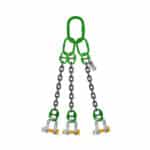
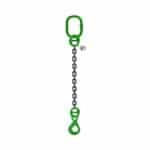
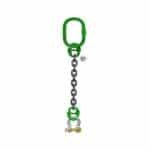
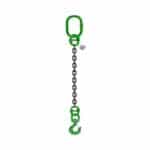
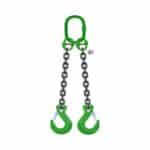
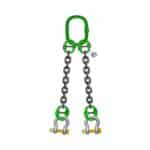
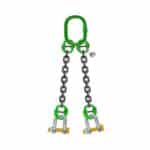
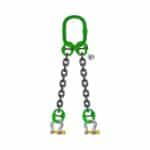
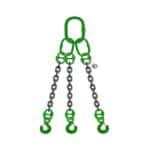
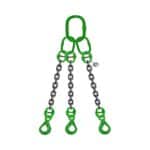
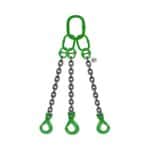
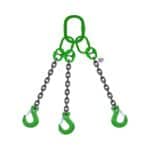
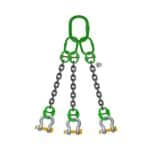
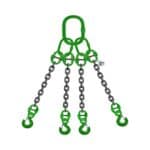
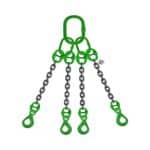
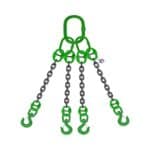
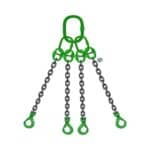
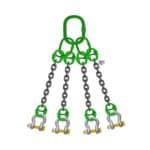
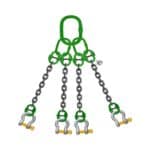
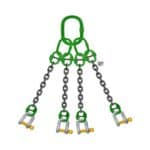
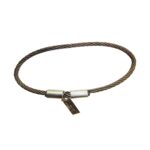
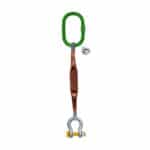
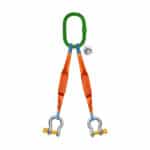
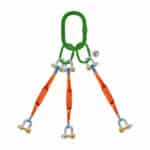
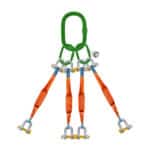
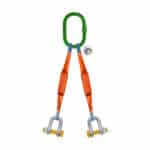
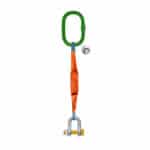
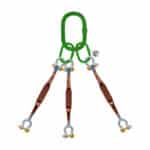
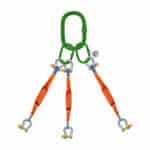
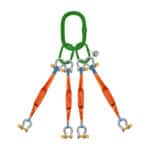
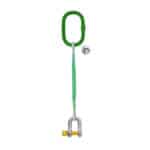
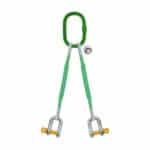
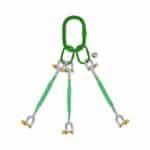
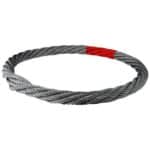
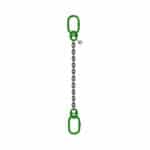
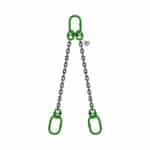
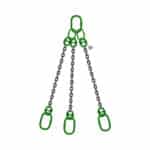
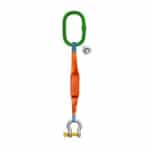
3 Leg Wire Rope Bridle Sling with D-Shaped Screw Pin Shackles for Secure Lifting in KSA: In demanding industrial environments such as construction sites, shipyards, oil refineries, and steel plants, lifting heavy, uneven, or awkwardly shaped loads is a common challenge. To handle these operations safely and efficiently, riggers and crane operators rely on high-quality, certified lifting gear.
Among the most versatile and reliable solutions available today is the 3-leg wire rope bridle sling with D-shaped screw pin shackles. Engineered for stability, strength, and simplicity, this lifting assembly is a must-have for any serious rigging toolkit.
At SSTC (Safe and Secure Trading Company)in Saudi Arabia, we supply a comprehensive range of lifting and rigging solutions tailored for industrial use—compliant with both local and international standards. This blog post covers everything you need to know about the 3-leg bridle sling with D-shackles: its components, uses, benefits, and safety considerations.
Table of contents
What is a 3-Leg Wire Rope Bridle Sling?
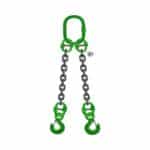
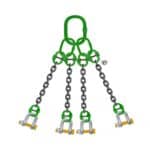
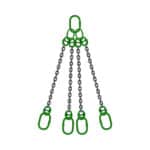
A 3-leg bridle sling is a rigging configuration consisting of:
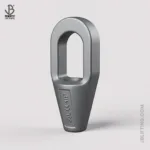
A master link at the top for crane hook attachment
Three wire rope legs connected via secure terminations
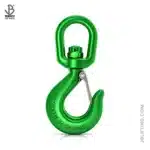
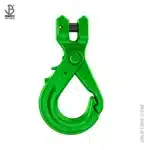
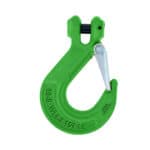
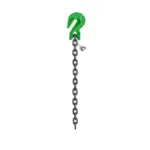
End fittings, such as hooks or shackles, attached to each leg
When paired with D-shaped screw pin shackles, this setup offers superior load control, quick assembly, and even load distribution across three lifting points.
Understanding D-Shaped Screw Pin Shackles
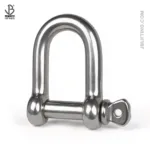
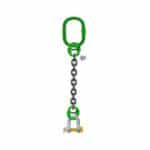
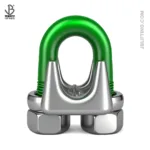
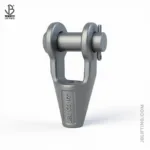
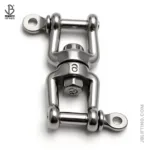
A D-shaped shackle (also known as a chain shackle) has a narrower profile than bow shackles, making it ideal for straight-line pulls or where the load is centralized. The screw pin mechanism allows for quick installation and removal.
Overall Length should be measured without Top Master Link Assembly Ring.
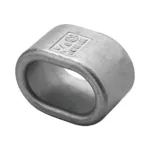
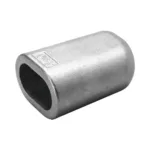
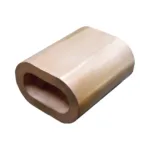
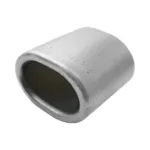
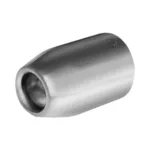
Swaging / Crimping of Sleeves with Carbon Steel Ferrule / Aluminium Ferrule
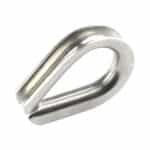
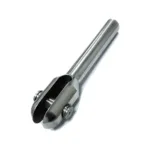
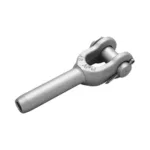
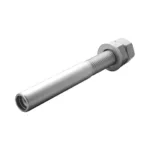
End Fittings: Shackles, Hooks, Clamps, Thimble Eyes, Flemish Soft Eyes etc.
Key Features:-
Safety Factor – 5:1
High Breaking Load.
Excellent Life Time.
Strong against Abrasion.
It lasts longer than conventional wire rope slings.
Structural Stability.
Resistant to hazardous kinks.
Excellent flexibility allows safer and easier handling of your valuable products.
Quality is maintained through constant research.
Custom-made slings for specific applications can be made to customer specifications.
All types of end fittings as per your requirement.
Specifications:-
ItemCode(s)
Diameter of Rope
Capacity at different angle (SWL)
0-45 Degree
45-60 Degree
mm
Inch
Ton
Ton
SRA-TOSHKDS-6
6
¼
1
0.75
SRA-TOSHKDS-8
8
5/16
1.7
1.2
SRA-TOSHKDS-9
9
2.1
1.5
SRA-TOSHKDS-10
10
3/8
2.73
1.95
SRA-TOSHKDS-11
11
3.15
2.25
SRA-TOSHKDS-12
12
15/32
3.8
2.7
SRA-TOSHKDS-13
13
½
4.4
3.15
SRA-TOSHKDS-14
14
9/16
5.25
3.75
SRA-TOSHKDS-16
16
5/8
6.9
4.95
SRA-TOSHKDS-18
18
45/64
8.6
6.15
SRA-TOSHKDS-19
19
¾
9.65
6.9
SRA-TOSHKDS-20
20
25/32
10.7
7.65
SRA-TOSHKDS-22
22
7/8
13
9.3
SRA-TOSHKDS-24
24
15/16
15.5
11.1
SRA-TOSHKDS-26
26
1
18.05
12.9
SRA-TOSHKDS-28
28
1-1/8
21
15
SRA-TOSHKDS-32
32
1-1/4
27.5
19.65
SRA-TOSHKDS-36
36
1-3/8
34.85
24.9
SRA-TOSHKDS-38
38
1-3/8
38.85
27.75
SRA-TOSHKDS-40
40
1-7/12
43.25
30.9
SRA-TOSHKDS-42
42
1-5/8
47.45
33.9
SRA-TOSHKDS-44
44
1-3/4
52.1
37.2
SRA-TOSHKDS-48
48
1-7/8
61.95
44.25
SRA-TOSHKDS-52
52
2
73.1
52.2
SRA-TOSHKDS-56
56
2-1/4
84.4
60.3
SRA-TOSHKDS-60
60
2-23/64
97
69.3
SRA-TOSHKDS-64
64
2-1/2
115.1
82.2
SRA-TOSHKDS-71
71
2-3/4
139.85
99.9
SRA-TOSHKDS-76
76
3
160.65
114.75
SRA-TOSHKDS-83
83
3-1/4
188.2
134.46
SRA-TOSHKDS-89
89
3-1/2
212.1
151.5
SRA-TOSHKDS-103
103
4
270.9
193.5
Benefits of Using This Configuration
1. High Load Capacity
With three load-bearing legs, the sling distributes weight more evenly, allowing for higher lifting capacities without sacrificing safety.
2. Improved Load Stability
The three-leg design offers natural triangulation, helping maintain load balance, especially useful for asymmetrical or shifting weights.
3. Quick Setup
The screw pin mechanism on D-shackles simplifies assembly and disassembly, reducing rigging time during frequent lifts.
4. Customizable
Lengths, rope diameters, and fittings can be customized based on your project-specific lifting angles and requirements.
5. Secure Connection
D-shackles offer a tight and straight pull connection, minimizing swing or slack during lifts in tight or confined environments.
Safety & Maintenance Guidelines
Pre-Lift Inspection: Check each wire rope leg for frays, kinks, corrosion, or broken wires. Also, inspect the shackles for cracks, wear, and thread integrity.
Ensure Proper Pin Engagement: Fully tighten screw pins and verify they are not subjected to angular stress.
Avoid Shock Loading: Always lift slowly and steadily—shock loads can exceed WLL momentarily and cause failure.
Correct Storage: Store the sling in a dry, cool place, ideally on racks to avoid crushing or rust.
Documented Certification: Only use slings with valid inspection certificates and traceable serial numbers.
3 Leg Wire Rope Bridle Sling with D-Shaped Screw Pin Shackles for Secure Lifting in KSA
Quality Assurance & Compliance at SSTC
At SSTC, we pride ourselves on delivering certified lifting equipment that meets global and Saudi-specific standards. Our products are:
SASO Compliant
Tested and tagged
Provided with load certificates
Backed by experienced engineers and field support
We also offer custom fabrication, onsite inspections, and proof load testing services across Saudi Arabia.
Final Thoughts
A 3-leg wire rope bridle sling with D-shaped screw pin shackles is not just another lifting tool—it’s a precision-engineered solution built for Saudi Arabia’s demanding industrial sectors. With proper usage and maintenance, it ensures safe, balanced, and efficient lifting, even in the most challenging environments.
Choose SSTC for equipment that not only meets expectations—but exceeds them.
Client-Centric Steel Fabrication: In today’s fast-paced industrial landscape, off-the-shelf solutions no longer meet the increasingly specific demands...
This mode enables people with epilepsy to use the website safely by eliminating the risk of seizures that result from flashing or blinking animations and risky color combinations.
Visually Impaired Mode
Improves website's visuals
This mode adjusts the website for the convenience of users with visual impairments such as Degrading Eyesight, Tunnel Vision, Cataract, Glaucoma, and others.
Cognitive Disability Mode
Helps to focus on specific content
This mode provides different assistive options to help users with cognitive impairments such as Dyslexia, Autism, CVA, and others, to focus on the essential elements of the website more easily.
ADHD Friendly Mode
Reduces distractions and improve focus
This mode helps users with ADHD and Neurodevelopmental disorders to read, browse, and focus on the main website elements more easily while significantly reducing distractions.
Blindness Mode
Allows using the site with your screen-reader
This mode configures the website to be compatible with screen-readers such as JAWS, NVDA, VoiceOver, and TalkBack. A screen-reader is software for blind users that is installed on a computer and smartphone, and websites must be compatible with it.
Online Dictionary
Readable Experience
Content Scaling
Default
Text Magnifier
Readable Font
Dyslexia Friendly
Highlight Titles
Highlight Links
Font Sizing
Default
Line Height
Default
Letter Spacing
Default
Left Aligned
Center Aligned
Right Aligned
Visually Pleasing Experience
Dark Contrast
Light Contrast
Monochrome
High Contrast
High Saturation
Low Saturation
Adjust Text Colors
Adjust Title Colors
Adjust Background Colors
Easy Orientation
Mute Sounds
Hide Images
Hide Emoji
Reading Guide
Stop Animations
Reading Mask
Highlight Hover
Highlight Focus
Big Dark Cursor
Big Light Cursor
Cognitive Reading
Virtual Keyboard
Navigation Keys
Voice Navigation
Accessibility Statement
safeandsecureksa.com
19 February 2026
Compliance status
We firmly believe that the internet should be available and accessible to anyone, and are committed to providing a website that is accessible to the widest possible audience,
regardless of circumstance and ability.
To fulfill this, we aim to adhere as strictly as possible to the World Wide Web Consortium’s (W3C) Web Content Accessibility Guidelines 2.1 (WCAG 2.1) at the AA level.
These guidelines explain how to make web content accessible to people with a wide array of disabilities. Complying with those guidelines helps us ensure that the website is accessible
to all people: blind people, people with motor impairments, visual impairment, cognitive disabilities, and more.
This website utilizes various technologies that are meant to make it as accessible as possible at all times. We utilize an accessibility interface that allows persons with specific
disabilities to adjust the website’s UI (user interface) and design it to their personal needs.
Additionally, the website utilizes an AI-based application that runs in the background and optimizes its accessibility level constantly. This application remediates the website’s HTML,
adapts Its functionality and behavior for screen-readers used by the blind users, and for keyboard functions used by individuals with motor impairments.
If you’ve found a malfunction or have ideas for improvement, we’ll be happy to hear from you. You can reach out to the website’s operators by using the following email
Screen-reader and keyboard navigation
Our website implements the ARIA attributes (Accessible Rich Internet Applications) technique, alongside various different behavioral changes, to ensure blind users visiting with
screen-readers are able to read, comprehend, and enjoy the website’s functions. As soon as a user with a screen-reader enters your site, they immediately receive
a prompt to enter the Screen-Reader Profile so they can browse and operate your site effectively. Here’s how our website covers some of the most important screen-reader requirements,
alongside console screenshots of code examples:
Screen-reader optimization: we run a background process that learns the website’s components from top to bottom, to ensure ongoing compliance even when updating the website.
In this process, we provide screen-readers with meaningful data using the ARIA set of attributes. For example, we provide accurate form labels;
descriptions for actionable icons (social media icons, search icons, cart icons, etc.); validation guidance for form inputs; element roles such as buttons, menus, modal dialogues (popups),
and others. Additionally, the background process scans all the website’s images and provides an accurate and meaningful image-object-recognition-based description as an ALT (alternate text) tag
for images that are not described. It will also extract texts that are embedded within the image, using an OCR (optical character recognition) technology.
To turn on screen-reader adjustments at any time, users need only to press the Alt+1 keyboard combination. Screen-reader users also get automatic announcements to turn the Screen-reader mode on
as soon as they enter the website.
These adjustments are compatible with all popular screen readers, including JAWS and NVDA.
Keyboard navigation optimization: The background process also adjusts the website’s HTML, and adds various behaviors using JavaScript code to make the website operable by the keyboard. This includes the ability to navigate the website using the Tab and Shift+Tab keys, operate dropdowns with the arrow keys, close them with Esc, trigger buttons and links using the Enter key, navigate between radio and checkbox elements using the arrow keys, and fill them in with the Spacebar or Enter key.Additionally, keyboard users will find quick-navigation and content-skip menus, available at any time by clicking Alt+1, or as the first elements of the site while navigating with the keyboard. The background process also handles triggered popups by moving the keyboard focus towards them as soon as they appear, and not allow the focus drift outside it.
Users can also use shortcuts such as “M” (menus), “H” (headings), “F” (forms), “B” (buttons), and “G” (graphics) to jump to specific elements.
Disability profiles supported in our website
Epilepsy Safe Mode: this profile enables people with epilepsy to use the website safely by eliminating the risk of seizures that result from flashing or blinking animations and risky color combinations.
Visually Impaired Mode: this mode adjusts the website for the convenience of users with visual impairments such as Degrading Eyesight, Tunnel Vision, Cataract, Glaucoma, and others.
Cognitive Disability Mode: this mode provides different assistive options to help users with cognitive impairments such as Dyslexia, Autism, CVA, and others, to focus on the essential elements of the website more easily.
ADHD Friendly Mode: this mode helps users with ADHD and Neurodevelopmental disorders to read, browse, and focus on the main website elements more easily while significantly reducing distractions.
Blindness Mode: this mode configures the website to be compatible with screen-readers such as JAWS, NVDA, VoiceOver, and TalkBack. A screen-reader is software for blind users that is installed on a computer and smartphone, and websites must be compatible with it.
Keyboard Navigation Profile (Motor-Impaired): this profile enables motor-impaired persons to operate the website using the keyboard Tab, Shift+Tab, and the Enter keys. Users can also use shortcuts such as “M” (menus), “H” (headings), “F” (forms), “B” (buttons), and “G” (graphics) to jump to specific elements.
Additional UI, design, and readability adjustments
Font adjustments – users, can increase and decrease its size, change its family (type), adjust the spacing, alignment, line height, and more.
Color adjustments – users can select various color contrast profiles such as light, dark, inverted, and monochrome. Additionally, users can swap color schemes of titles, texts, and backgrounds, with over seven different coloring options.
Animations – person with epilepsy can stop all running animations with the click of a button. Animations controlled by the interface include videos, GIFs, and CSS flashing transitions.
Content highlighting – users can choose to emphasize important elements such as links and titles. They can also choose to highlight focused or hovered elements only.
Audio muting – users with hearing devices may experience headaches or other issues due to automatic audio playing. This option lets users mute the entire website instantly.
Cognitive disorders – we utilize a search engine that is linked to Wikipedia and Wiktionary, allowing people with cognitive disorders to decipher meanings of phrases, initials, slang, and others.
Additional functions – we provide users the option to change cursor color and size, use a printing mode, enable a virtual keyboard, and many other functions.

Browser and assistive technology compatibility
We aim to support the widest array of browsers and assistive technologies as possible, so our users can choose the best fitting tools for them, with as few limitations as possible. Therefore, we have worked very hard to be able to support all major systems that comprise over 95% of the user market share including Google Chrome, Mozilla Firefox, Apple Safari, Opera and Microsoft Edge, JAWS and NVDA (screen readers).
Notes, comments, and feedback
Despite our very best efforts to allow anybody to adjust the website to their needs. There may still be pages or sections that are not fully accessible, are in the process of becoming accessible, or are lacking an adequate technological solution to make them accessible. Still, we are continually improving our accessibility, adding, updating and improving its options and features, and developing and adopting new technologies. All this is meant to reach the optimal level of accessibility, following technological advancements. For any assistance, please reach out to