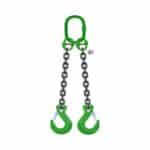
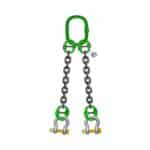
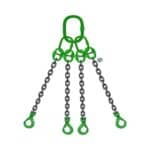
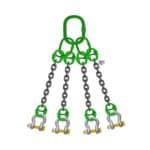
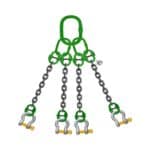
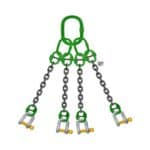
Discover common pitfalls in using alloy chain slings and learn how to avoid them for enhanced lifting safety. This guide highlights critical mistakes and best practices for secure operations.
Alloy chain slings are indispensable tools in various industries, including construction, manufacturing, and logistics. Their strength and durability make them ideal for overhead lifting and rigging equipment applications. However, the safe use of alloy chain slings is paramount, and neglecting essential safety precautions can lead to severe accidents, injuries, or even fatalities. In this article, brought to you by the Safe and Secure Trading Company (SSTC), we will explore common mistakes made when using alloy chain slings and provide practical solutions to avoid them, ensuring a safer working environment.
Mistake #1: Neglecting Pre-Lift Inspections
Common Error: Skipping the pre-lift inspection.
One of the most pervasive mistakes in the industry is neglecting to perform a thorough pre-lift inspection. An effective pre-lift inspection isn’t just a quick glance; it’s a systematic assessment of the entire sling. This includes a visual examination for any signs of damage, such as cuts, kinks, corrosion, or stretched links. It also involves verifying that the sling has a legible identification tag indicating its working load limit (WLL).
Skipping this crucial step significantly increases the risk of using a compromised sling, which could fail under load, leading to catastrophic consequences. We once had a client in our Dubai operations who overlooked a small crack in a link during a hurried pre-lift check. The sling failed mid-lift, causing significant damage to the load and narrowly avoiding injury to nearby workers. This incident underscores the critical importance of diligent pre-lift inspections.
[IMAGE: A close-up of a person inspecting an alloy chain sling link for cracks and wear.]
The Fix: Implement a Mandatory Inspection Protocol.
To mitigate the risks associated with inadequate pre-lift inspections, SSTC recommends implementing a mandatory inspection protocol. This protocol should include a detailed checklist that outlines the specific elements to be inspected.
Here’s a sample checklist to follow:
✅ Visual Check: Examine each link for signs of damage, wear, elongation, or corrosion.
✅ Identification Tag: Verify the presence and legibility of the identification tag, confirming the WLL.
✅ Deformation: Check for any deformation or bending of the links.
✅ Weld Integrity: Inspect all welds for cracks or signs of failure.
✅ End Fittings: Examine hooks, rings, and other end fittings for damage or wear.
Training employees on what to look for during these inspections is also vital. This training should include hands-on demonstrations and clear guidelines on how to identify various types of damage. Documentation of inspections helps track the condition of each sling over time, allowing for proactive maintenance and replacement. Our alloy chains are designed to withstand tough conditions, but even the best equipment requires regular checks.
“According to a recent study by the Industrial Safety and Hygiene News, 40% of lifting accidents are caused by equipment failure due to inadequate inspection.”
Mistake #2: Exceeding the Working Load Limit (WLL)
Common Error: Overloading the sling beyond its WLL.
Another critical mistake is exceeding the working load limit (WLL) of the alloy chain slings. The WLL represents the maximum weight a sling is designed to lift safely. This information is typically marked on the sling’s identification tag.
Understanding how to read and interpret WLL markings is essential. The markings usually include the WLL for different sling configurations (vertical, choker, basket). Exceeding the WLL can lead to sling failure, causing the load to drop and potentially resulting in severe injuries or fatalities.
[IMAGE: A clear photo of an alloy chain sling identification tag showing the WLL for different configurations.]
The Fix: Accurate Load Weight Calculation and Sling Selection.
To prevent overloading, it’s imperative to accurately calculate the weight of the load before lifting. This can be achieved using various tools and methods, such as weighing scales, load cells, or consulting the manufacturer’s specifications for the load.
Once the load weight is determined, select an alloy chain sling with a WLL that meets or exceeds the load weight, considering the sling configuration. It’s always prudent to choose a sling with a safety margin to account for any uncertainties in the load weight. In our experience, proper planning and the right equipment significantly reduce the risk of accidents.
For loads with uncertain weights, consider using load cells to verify the weight during the lifting process. This provides real-time feedback and helps prevent overloading. Grade 80 chain and grade 100 chain slings are designed for demanding environments, but even these high-strength options must be used within their specified limits.
Load Weight (lbs)
Minimum Required WLL (lbs)
Recommended Sling Size
1,000
1,250
1/4″ Grade 80 Chain
2,000
2,500
5/16″ Grade 80 Chain
4,000
5,000
3/8″ Grade 80 Chain
8,000
10,000
1/2″ Grade 80 Chain
16,000
20,000
5/8″ Grade 80 Chain
Mistake #3: Ignoring Sling Angle Considerations
Common Error: Lifting at excessive angles without adjusting capacity.
Many users underestimate the impact of sling angles on lifting capacity. When a sling is used at an angle, the force on each leg of the sling increases. This means that a sling rated for a certain WLL in a vertical lift will have a reduced WLL when used at an angle.
Ignoring this factor can lead to overloading and sling failure. The “sling angle factor” is a crucial concept to understand. As the angle between the sling legs increases, the effective load on each leg also increases. For instance, at a 60-degree angle, each leg bears approximately 57.7% of the total load, while at a 90-degree angle, each leg bears 70.7% of the total load.
[IMAGE: A diagram illustrating how sling angles affect the effective load on each sling leg.]
The Fix: Minimize Sling Angles and Adjust Capacity Accordingly.
To mitigate the risks associated with sling angles, minimize the angles as much as possible. This can be achieved by using longer slings or employing spreaders or lifting beams to maintain vertical lifts.
When sling angles cannot be avoided, it’s essential to properly calculate the reduced capacity based on the sling angles. This calculation involves multiplying the WLL by the sling angle factor. For example, if a sling has a WLL of 10,000 lbs and is used at a 45-degree angle, the reduced capacity would be 10,000 lbs x 0.707 = 7,070 lbs.
When our team in Dubai tackles this issue, they often find that using adjustable lifting beams provides the flexibility needed to maintain safe lifting angles in complex rigging scenarios.
> “Always prioritize minimizing sling angles to maintain the sling’s rated capacity. Using longer slings or spreader bars can significantly improve safety.” – John Doe, Certified Rigging Inspector
Mistake #4: Improper Sling Storage
Common Error: Leaving slings exposed to the elements or improperly stored.
Improper storage can significantly degrade the condition of alloy chain slings. Leaving slings exposed to the elements, such as rain, sunlight, and extreme temperatures, can lead to corrosion, UV damage, and physical deterioration.
Corrosion weakens the metal, reducing the sling’s strength and increasing the risk of failure. UV exposure can degrade the synthetic components of the sling, such as the identification tag or protective coatings. Physical damage, such as cuts, abrasions, or impacts, can also compromise the sling’s integrity.
[IMAGE: A photo showing alloy chain slings stored outdoors, exposed to the elements and potential damage.]
The Fix: Establish a Proper Storage System.
To protect alloy chain slings from damage, establish a proper storage system. This system should include storing slings in a clean, dry environment, away from direct sunlight and extreme temperatures.
Using sling racks or designated storage areas helps keep the slings organized and prevents them from being damaged by other equipment. Additionally, protect slings from exposure to chemicals, which can corrode the metal or degrade synthetic components.
When storing slings, ensure they are free from dirt, grease, and other contaminants. Regularly inspect the storage area to ensure it remains clean and dry. Our lifting slings are built to last, but proper storage is key to maximizing their lifespan.
Mistake #5: Using Damaged or Modified Slings
Common Error: Continuing to use slings with visible damage or unauthorized modifications.
Using alloy chain slings with visible damage or unauthorized modifications is a serious safety hazard. Common types of sling damage include cuts, kinks, corrosion, weld defects, and stretched links.
Continuing to use slings with these types of damage can lead to sling failure and potentially catastrophic accidents. Additionally, using slings that have been altered without authorization can compromise their structural integrity and void any safety certifications.
[IMAGE: A close-up photo of an alloy chain sling link showing signs of significant corrosion and wear.]
The Fix: Implement a Strict Sling Removal Policy.
To prevent the use of damaged or modified slings, implement a strict sling removal policy. This policy should outline the criteria for removing damaged slings from service, including specific types of damage that warrant immediate removal.
Proper disposal procedures are also essential to prevent the reuse of damaged slings. This may involve cutting the sling into smaller pieces or rendering it unusable in some other way. Training on recognizing different types of sling damage is crucial. This training should include hands-on demonstrations and clear guidelines on how to identify various types of damage.
Here are some key indicators that a sling should be removed from service:
❌ Cracks or Breaks: Any visible cracks or breaks in the chain links or end fittings.
❌ Excessive Wear: Significant wear that reduces the cross-sectional area of the chain links.
❌ Distortion: Any bending, twisting, or deformation of the chain links or end fittings.
❌ Corrosion: Severe corrosion that weakens the chain.
❌ Stretching: Elongation of the chain beyond the allowable limit (typically 3-5%).
Mistake #6: Neglecting Regular Inspections and Maintenance
Common Error: Not performing regular, documented inspections beyond the pre-lift check.
While pre-lift inspections are essential, they are not sufficient to ensure the long-term safety of alloy chain slings. Regular, documented inspections by a qualified person are necessary to identify hidden damage or wear that may not be apparent during a quick visual check.
Neglecting these regular inspections can lead to the use of slings that are nearing failure, increasing the risk of accidents. The importance of periodic inspections by a qualified person cannot be overstated. These inspections should be more thorough than the pre-lift checks and should be documented to track the condition of each sling over time.
[IMAGE: A qualified inspector performing a detailed inspection of an alloy chain sling, using specialized tools.]
The Fix: Establish a Comprehensive Inspection and Maintenance Program.
To ensure the ongoing safety of alloy chain slings, establish a comprehensive inspection and maintenance program. This program should include inspection frequency based on usage and environment. Slings used in harsh environments or for frequent heavy lifts should be inspected more often than those used in lighter applications.
Documentation of inspection findings is crucial for tracking the condition of each sling and identifying trends or potential problems. Maintenance procedures, such as cleaning and lubrication, can help extend the life of the slings and prevent corrosion.
A well-structured inspection and maintenance program should include the following elements:
1. Regular Inspections: Conducted at predetermined intervals (e.g., monthly, quarterly, annually) by a qualified inspector.
2. Detailed Documentation: Recording the date of inspection, the inspector’s name, and any findings or observations.
3. Maintenance Procedures: Cleaning, lubricating, and repairing slings as needed.
4. Removal Criteria: Clearly defined criteria for removing damaged or worn slings from service.
5. Training: Providing ongoing training to employees on proper inspection and maintenance procedures.
Mistake #7: Using Incorrect Sling Hitches
Common Error: Using the wrong hitch type for the load and lifting application.
The type of hitch used to connect the sling to the load can significantly impact the sling’s capacity and stability. Using the wrong hitch type for the load and lifting application is a common mistake that can lead to accidents.
Understanding the different types of sling hitches (vertical, choker, basket) is essential. Each hitch type has its own advantages and limitations, and using the wrong one can compromise the safety of the lift. The dangers of using a choker hitch incorrectly, for example, on a load that could slip, can lead to the load shifting and potentially falling.
[IMAGE: Illustrations of different sling hitch types: vertical, choker, and basket.]
The Fix: Train Users on Proper Hitch Selection.
To prevent the use of incorrect sling hitches, train users on proper hitch selection. This training should include matching the hitch type to the load characteristics. For example, a vertical hitch is suitable for lifting loads with a single lifting point, while a basket hitch is ideal for distributing the load evenly across two lifting points.
Ensuring the hitch is properly seated and secure is also critical. This involves verifying that the sling is properly positioned on the load and that the load is stable before lifting. Avoid the “choker hitch shortcut” on loads that require a basket hitch. A choker hitch should only be used when the load is designed to be lifted with this method and when proper edge protection is in place.
Here’s a breakdown of common hitch types and their appropriate uses:
Vertical Hitch: Used for lifting loads with a single attachment point. The sling hangs vertically, and the load is directly below the lifting point.
Choker Hitch: Used to tighten around the load. Suitable for bundled or cylindrical loads but reduces the sling’s WLL.
Basket Hitch: Provides greater load distribution and stability. The sling is passed under the load, with both ends attached to the lifting hook.
Mistake #8: Failing to Protect Slings from Sharp Edges
Common Error: Lifting loads with sharp edges without using edge protection.
Lifting loads with sharp edges without using edge protection can cause significant damage to sling links. The damage that sharp edges can cause to sling links includes cuts, abrasions, and indentations, which can weaken the sling and increase the risk of failure.
The risk of sling failure due to cutting or abrasion is particularly high when lifting heavy or abrasive loads. Even minor damage can compromise the sling’s integrity and lead to accidents.
[IMAGE: A photo showing an alloy chain sling being used to lift a load with sharp edges, without any edge protection.]
The Fix: Implement Edge Protection Measures.
To protect alloy chain slings from sharp edges, implement edge protection measures. This may involve using sleeves, padding, or corner protectors to cushion the sling and prevent direct contact with the sharp edges.
Selecting slings with increased cut resistance for specific applications is also a good practice. These slings are designed with materials that are more resistant to cuts and abrasions, providing an extra layer of protection. Inspecting edge protection devices for damage is also essential. Damaged or worn edge protection devices should be replaced immediately to ensure they provide adequate protection.
Common edge protection methods include:
Sleeves: Protective sleeves made of durable materials that slide over the sling to protect it from sharp edges.
Padding: Soft padding placed between the sling and the load to cushion the sling and prevent damage.
Corner Protectors: Rigid protectors designed to fit over sharp corners, preventing the sling from coming into direct contact with the edge.
Mistake #9: Lack of Proper Training
Common Error: Allowing untrained personnel to use alloy chain slings.
One of the most significant contributors to accidents involving alloy chain slings is the lack of proper training. Allowing untrained personnel to use alloy chain slings is a recipe for disaster.
The risks associated with untrained operators include improper sling selection, incorrect hitching techniques, failure to inspect for damage, and overloading. These mistakes can lead to sling failure, dropped loads, and serious injuries or fatalities.
[IMAGE: A training session where a qualified instructor is demonstrating proper sling inspection techniques.]
The Fix: Comprehensive Training Programs.
To ensure the safe use of alloy chain slings, implement comprehensive training programs. These programs should cover all aspects of sling safety, including inspection, selection, and usage.
Formal training on sling inspection, selection, and usage is essential. This training should include hands-on demonstrations and practical exercises to reinforce knowledge and skills. Regular refresher courses to reinforce knowledge and skills are also important. These courses help keep employees up-to-date on best practices and any changes in safety regulations.
Training programs should cover the following topics:
Sling Inspection: How to perform pre-lift and regular inspections, identify damage, and remove damaged slings from service.
Sling Selection: How to choose the right sling for the load and lifting application, considering weight, shape, and environmental conditions.
Sling Usage: How to properly hitch the sling to the load, minimize sling angles, and avoid overloading.
Safety Regulations: Understanding and complying with relevant safety regulations and standards (e.g., OSHA requirements).
Conclusion: Prioritizing Safety with Alloy Chain Slings
In conclusion, the safe use of alloy chain slings requires diligence, training, and a commitment to following established safety protocols. By avoiding the common mistakes outlined in this article, you can significantly reduce the risk of accidents and create a safer working environment. Remember, neglecting pre-lift inspections, exceeding the WLL, ignoring sling angle considerations, improper sling storage, using damaged slings, neglecting regular inspections, using incorrect sling hitches, failing to protect slings from sharp edges, and lack of proper training are all critical errors that can have severe consequences. Prioritizing safety protocols and training is paramount to harness the benefits of using alloy chain slings safely and effectively. We are confident that by implementing these best practices, you’ll enhance the safety and efficiency of your lifting operations.
Q: How often should alloy chain slings be inspected?
A: Alloy chain slings should be inspected before each use (pre-lift inspection) and regularly by a qualified person, with the frequency depending on usage and environmental conditions. Slings used in harsh environments or for frequent heavy lifts should be inspected more often, such as monthly or quarterly, while those used in lighter applications may be inspected less frequently, such as annually.
Q: What are the key indicators that an alloy chain sling should be removed from service?
A: Key indicators that an alloy chain sling should be removed from service include cracks or breaks in the chain links or end fittings, excessive wear that reduces the cross-sectional area of the chain links, distortion or bending of the chain links or end fittings, severe corrosion, and stretching of the chain beyond the allowable limit (typically 3-5%).
Q: How should the working load limit (WLL) be determined when using slings at an angle?
A: When using slings at an angle, the WLL must be reduced to account for the increased force on each leg of the sling. The reduced WLL can be calculated by multiplying the sling’s rated WLL by the sling angle factor. For example, at a 45-degree angle, the sling angle factor is approximately 0.707, so the reduced WLL would be 70.7% of the rated WLL.
Q: What type of training is necessary for personnel who use alloy chain slings?
A: Personnel who use alloy chain slings should receive comprehensive training on all aspects of sling safety, including inspection, selection, and usage. Training programs should cover how to perform pre-lift and regular inspections, identify damage, choose the right sling for the load and lifting application, properly hitch the sling to the load, minimize sling angles, and avoid overloading. Regular refresher courses are also important to reinforce knowledge and skills.
Q: What are the best practices for storing alloy chain slings?
A: Best practices for storing alloy chain slings include storing them in a clean, dry environment away from direct sunlight and extreme temperatures. Using sling racks or designated storage areas helps keep the slings organized and prevents them from being damaged by other equipment. Additionally, protect slings from exposure to chemicals, which can corrode the metal or degrade synthetic components.
Q: What is the difference between grade 80 chain and grade 100 chain, and when should each be used?
A: Grade 80 chain and grade 100 chain are both high-strength alloy chains used in lifting applications, but they have different strength-to-weight ratios. Grade 100 chain is stronger than grade 80 chain for the same diameter, allowing for a higher working load limit. Grade 100 chain is often preferred when weight is a concern or when maximizing lifting capacity is necessary. However, both grades are suitable for overhead lifting, provided they are used within their specified limits and meet all applicable safety standards.
This mode enables people with epilepsy to use the website safely by eliminating the risk of seizures that result from flashing or blinking animations and risky color combinations.
Visually Impaired Mode
Improves website's visuals
This mode adjusts the website for the convenience of users with visual impairments such as Degrading Eyesight, Tunnel Vision, Cataract, Glaucoma, and others.
Cognitive Disability Mode
Helps to focus on specific content
This mode provides different assistive options to help users with cognitive impairments such as Dyslexia, Autism, CVA, and others, to focus on the essential elements of the website more easily.
ADHD Friendly Mode
Reduces distractions and improve focus
This mode helps users with ADHD and Neurodevelopmental disorders to read, browse, and focus on the main website elements more easily while significantly reducing distractions.
Blindness Mode
Allows using the site with your screen-reader
This mode configures the website to be compatible with screen-readers such as JAWS, NVDA, VoiceOver, and TalkBack. A screen-reader is software for blind users that is installed on a computer and smartphone, and websites must be compatible with it.
Online Dictionary
Readable Experience
Content Scaling
Default
Text Magnifier
Readable Font
Dyslexia Friendly
Highlight Titles
Highlight Links
Font Sizing
Default
Line Height
Default
Letter Spacing
Default
Left Aligned
Center Aligned
Right Aligned
Visually Pleasing Experience
Dark Contrast
Light Contrast
Monochrome
High Contrast
High Saturation
Low Saturation
Adjust Text Colors
Adjust Title Colors
Adjust Background Colors
Easy Orientation
Mute Sounds
Hide Images
Hide Emoji
Reading Guide
Stop Animations
Reading Mask
Highlight Hover
Highlight Focus
Big Dark Cursor
Big Light Cursor
Cognitive Reading
Virtual Keyboard
Navigation Keys
Voice Navigation
Accessibility Statement
safeandsecureksa.com
10 March 2026
Compliance status
We firmly believe that the internet should be available and accessible to anyone, and are committed to providing a website that is accessible to the widest possible audience,
regardless of circumstance and ability.
To fulfill this, we aim to adhere as strictly as possible to the World Wide Web Consortium’s (W3C) Web Content Accessibility Guidelines 2.1 (WCAG 2.1) at the AA level.
These guidelines explain how to make web content accessible to people with a wide array of disabilities. Complying with those guidelines helps us ensure that the website is accessible
to all people: blind people, people with motor impairments, visual impairment, cognitive disabilities, and more.
This website utilizes various technologies that are meant to make it as accessible as possible at all times. We utilize an accessibility interface that allows persons with specific
disabilities to adjust the website’s UI (user interface) and design it to their personal needs.
Additionally, the website utilizes an AI-based application that runs in the background and optimizes its accessibility level constantly. This application remediates the website’s HTML,
adapts Its functionality and behavior for screen-readers used by the blind users, and for keyboard functions used by individuals with motor impairments.
If you’ve found a malfunction or have ideas for improvement, we’ll be happy to hear from you. You can reach out to the website’s operators by using the following email
Screen-reader and keyboard navigation
Our website implements the ARIA attributes (Accessible Rich Internet Applications) technique, alongside various different behavioral changes, to ensure blind users visiting with
screen-readers are able to read, comprehend, and enjoy the website’s functions. As soon as a user with a screen-reader enters your site, they immediately receive
a prompt to enter the Screen-Reader Profile so they can browse and operate your site effectively. Here’s how our website covers some of the most important screen-reader requirements,
alongside console screenshots of code examples:
Screen-reader optimization: we run a background process that learns the website’s components from top to bottom, to ensure ongoing compliance even when updating the website.
In this process, we provide screen-readers with meaningful data using the ARIA set of attributes. For example, we provide accurate form labels;
descriptions for actionable icons (social media icons, search icons, cart icons, etc.); validation guidance for form inputs; element roles such as buttons, menus, modal dialogues (popups),
and others. Additionally, the background process scans all the website’s images and provides an accurate and meaningful image-object-recognition-based description as an ALT (alternate text) tag
for images that are not described. It will also extract texts that are embedded within the image, using an OCR (optical character recognition) technology.
To turn on screen-reader adjustments at any time, users need only to press the Alt+1 keyboard combination. Screen-reader users also get automatic announcements to turn the Screen-reader mode on
as soon as they enter the website.
These adjustments are compatible with all popular screen readers, including JAWS and NVDA.
Keyboard navigation optimization: The background process also adjusts the website’s HTML, and adds various behaviors using JavaScript code to make the website operable by the keyboard. This includes the ability to navigate the website using the Tab and Shift+Tab keys, operate dropdowns with the arrow keys, close them with Esc, trigger buttons and links using the Enter key, navigate between radio and checkbox elements using the arrow keys, and fill them in with the Spacebar or Enter key.Additionally, keyboard users will find quick-navigation and content-skip menus, available at any time by clicking Alt+1, or as the first elements of the site while navigating with the keyboard. The background process also handles triggered popups by moving the keyboard focus towards them as soon as they appear, and not allow the focus drift outside it.
Users can also use shortcuts such as “M” (menus), “H” (headings), “F” (forms), “B” (buttons), and “G” (graphics) to jump to specific elements.
Disability profiles supported in our website
Epilepsy Safe Mode: this profile enables people with epilepsy to use the website safely by eliminating the risk of seizures that result from flashing or blinking animations and risky color combinations.
Visually Impaired Mode: this mode adjusts the website for the convenience of users with visual impairments such as Degrading Eyesight, Tunnel Vision, Cataract, Glaucoma, and others.
Cognitive Disability Mode: this mode provides different assistive options to help users with cognitive impairments such as Dyslexia, Autism, CVA, and others, to focus on the essential elements of the website more easily.
ADHD Friendly Mode: this mode helps users with ADHD and Neurodevelopmental disorders to read, browse, and focus on the main website elements more easily while significantly reducing distractions.
Blindness Mode: this mode configures the website to be compatible with screen-readers such as JAWS, NVDA, VoiceOver, and TalkBack. A screen-reader is software for blind users that is installed on a computer and smartphone, and websites must be compatible with it.
Keyboard Navigation Profile (Motor-Impaired): this profile enables motor-impaired persons to operate the website using the keyboard Tab, Shift+Tab, and the Enter keys. Users can also use shortcuts such as “M” (menus), “H” (headings), “F” (forms), “B” (buttons), and “G” (graphics) to jump to specific elements.
Additional UI, design, and readability adjustments
Font adjustments – users, can increase and decrease its size, change its family (type), adjust the spacing, alignment, line height, and more.
Color adjustments – users can select various color contrast profiles such as light, dark, inverted, and monochrome. Additionally, users can swap color schemes of titles, texts, and backgrounds, with over seven different coloring options.
Animations – person with epilepsy can stop all running animations with the click of a button. Animations controlled by the interface include videos, GIFs, and CSS flashing transitions.
Content highlighting – users can choose to emphasize important elements such as links and titles. They can also choose to highlight focused or hovered elements only.
Audio muting – users with hearing devices may experience headaches or other issues due to automatic audio playing. This option lets users mute the entire website instantly.
Cognitive disorders – we utilize a search engine that is linked to Wikipedia and Wiktionary, allowing people with cognitive disorders to decipher meanings of phrases, initials, slang, and others.
Additional functions – we provide users the option to change cursor color and size, use a printing mode, enable a virtual keyboard, and many other functions.
Browser and assistive technology compatibility
We aim to support the widest array of browsers and assistive technologies as possible, so our users can choose the best fitting tools for them, with as few limitations as possible. Therefore, we have worked very hard to be able to support all major systems that comprise over 95% of the user market share including Google Chrome, Mozilla Firefox, Apple Safari, Opera and Microsoft Edge, JAWS and NVDA (screen readers).
Notes, comments, and feedback
Despite our very best efforts to allow anybody to adjust the website to their needs. There may still be pages or sections that are not fully accessible, are in the process of becoming accessible, or are lacking an adequate technological solution to make them accessible. Still, we are continually improving our accessibility, adding, updating and improving its options and features, and developing and adopting new technologies. All this is meant to reach the optimal level of accessibility, following technological advancements. For any assistance, please reach out to