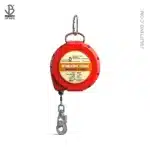
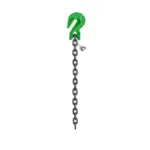
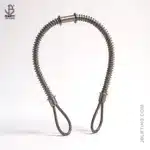
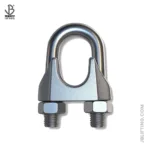
Maximize your safety investment! This guide reveals the factors affecting fall arrester lifespan and provides actionable steps to extend their usability, ensuring worker safety and regulatory compliance.
Introduction: Understanding Fall Arrester Lifespan
A fall arrester is a critical piece of safety equipment designed to protect individuals working at heights. These devices, often part of a comprehensive fall arrest system, are engineered to stop a fall quickly and safely, minimizing the risk of serious injury or death. Knowing and respecting the fall arrester lifespan is paramount for ensuring workplace safety.
Understanding the lifespan of your fall protection equipment is not merely a matter of compliance; it’s about protecting lives. Using expired or damaged equipment can have dire consequences. A seemingly minor defect, overlooked due to ignorance or negligence, can lead to catastrophic failure during a fall. It is crucial that workers and safety managers understand the factors that influence how long a fall arrester remains effective.
The consequences of using expired or damaged equipment can be devastating. Imagine a scenario where a construction worker, relying on a self-retracting lifeline (SRL) that’s past its prime, experiences a fall. The SRL fails to engage properly, resulting in a severe injury. This is a preventable tragedy highlighting the critical importance of understanding and adhering to the recommended safety harness lifespan and inspection protocols for all fall protection equipment. [IMAGE: A construction worker wearing a fall arrest harness, working at height on scaffolding.]
Factors Affecting Fall Arrester Lifespan
Several factors play a significant role in determining the fall arrester lifespan. These include the frequency of use, environmental conditions, storage practices, impact events, and the inherent material quality of the device. Understanding these factors is crucial for making informed decisions about inspection, maintenance, and eventual replacement of your fall protection equipment.
Frequency of Use: How Often You Use It Matters
The frequency with which a fall arrester is used directly impacts its wear and tear. A device used daily will naturally degrade faster than one used only occasionally. The constant stress of deployment, retraction (in the case of SRLs), and general handling contribute to the breakdown of materials over time.
Light usage might involve occasional tasks performed at height, such as routine maintenance or inspections. Moderate usage could include daily use for a few hours, perhaps in a manufacturing setting. Heavy usage, on the other hand, might involve continuous, all-day use in demanding environments like construction or demolition. Each of these scenarios will have a different impact on the SRL lifespan or the safety harness lifespan.
Consider this: a painter using a fall arrest system only a few times a year will likely experience a much longer fall arrester lifespan compared to a construction worker who relies on the same equipment daily. We once consulted with a roofing company where workers used their fall arresters almost constantly. Their equipment, despite being high-quality, required more frequent inspections and replacements due to the intense wear.
Environmental Conditions: The Impact of Weather & Chemicals
Environmental conditions can significantly degrade fall protection equipment. Exposure to UV radiation, moisture, extreme temperatures, and chemicals can all compromise the integrity of the materials used in fall arresters.
UV exposure from sunlight can cause the webbing in harnesses and lanyards to weaken and become brittle over time. Moisture can lead to corrosion of metal components and promote the growth of mold and mildew on fabric parts. Extreme temperatures can cause materials to expand and contract, leading to stress and eventual failure. Chemical exposure, such as acids and solvents, can break down the fibers in webbing and corrode metal hardware.
For example, nylon webbing can lose up to 50% of its strength after prolonged exposure to UV radiation. Metal components, like D-rings and buckles, can corrode and weaken when exposed to moisture and salt air. When our team in Dubai tackles this issue, they often find that extreme heat necessitates more frequent inspecting fall protection protocols, especially for equipment stored outdoors. [IMAGE: A close-up of a fall arrest harness showing signs of UV damage, such as faded color and brittle webbing.]
Storage Practices: Proper Storage is Key
Proper storage is essential for maximizing the fall arrester lifespan. Ideally, fall arresters should be stored in a cool, dry, and clean environment, away from direct sunlight and potential contaminants.
Improper storage can accelerate the degradation process. Storing equipment in damp or humid conditions can lead to mold and mildew growth, which can weaken the webbing. Exposing equipment to direct sunlight can cause UV damage. Storing equipment near chemicals or corrosive substances can lead to chemical degradation.
We once encountered a situation where a company stored their fall protection equipment in a metal container that was exposed to direct sunlight all day. The heat inside the container caused the webbing to degrade rapidly, significantly reducing the equipment’s lifespan. Proper storage, such as using ventilated storage bags in a climate-controlled room, can extend the life of your equipment significantly.
Impact Events: Even Minor Falls Can Cause Damage
Any impact event, even a seemingly minor fall, can compromise the integrity of a fall arrester. The forces generated during a fall can stretch webbing, deform hardware, and weaken the overall structure of the device.
It’s crucial to understand that a fall arrester is designed to withstand only one fall. After a fall, the equipment must be immediately removed from service, even if there are no visible signs of damage. Internal damage may be present, which could cause the device to fail in a subsequent fall.
A small slip or trip while wearing a fall arrester might seem inconsequential, but even these minor events can stress the equipment. A worker might think, “It was just a little stumble, nothing serious.” However, the force of the impact can still cause microscopic damage to the webbing or hardware. Therefore, any fall, regardless of its apparent severity, should trigger the retirement of the fall arrest system components involved.
Material Quality: Not All Arresters Are Created Equal
The quality of materials and manufacturing processes used in a fall arrester directly affects its durability and lifespan. Higher-quality materials and more robust manufacturing techniques generally result in a longer and more reliable fall arrester lifespan.
Not all fall arresters are created equal. Some manufacturers use lower-grade webbing, cheaper hardware, and less rigorous quality control processes to reduce costs. These lower-quality products may not provide the same level of protection and may have a significantly shorter lifespan than those made with higher-quality materials and processes.
Stick with reputable brands known for their commitment to quality and safety. These brands typically use higher-grade materials, employ more stringent quality control measures, and conduct extensive testing to ensure their products meet or exceed industry standards. While these products may be more expensive upfront, they often provide a better long-term value due to their increased durability and reliability.
Determining the Manufacturer’s Recommended Lifespan
Understanding the manufacturer’s recommended lifespan for your fall protection equipment is essential for ensuring its continued safety and effectiveness. This information is typically found in the user manual or product labeling.
Consulting the User Manual: Your First Step
The user manual is your primary source of information regarding the recommended lifespan of your fall arrester. It provides detailed instructions on proper use, inspection, maintenance, and storage, as well as the manufacturer’s recommended lifespan.
The user manual should be consulted before the first use of the equipment and should be kept readily available for future reference. The lifespan information is often found in a dedicated section on maintenance or service life. Look for statements like, “This product has a maximum lifespan of [number] years from the date of manufacture” or “Retire this product [number] years after the date of first use, or after any fall event.”
We once had a client who mistakenly believed that their fall arresters had an indefinite lifespan because they hadn’t consulted the user manual. After reviewing the manual, they realized that their equipment was long past its expiration date and needed to be replaced immediately. The user manual is an invaluable resource for understanding the specific requirements and limitations of your fall protection equipment. [IMAGE: A person reading the user manual for a fall arrest harness.]
Contacting the Manufacturer Directly: When in Doubt, Ask
If the user manual is unclear, missing, or you have any questions regarding the lifespan of your fall arrester, contacting the manufacturer directly is always a good idea. They can provide specific guidance based on the model and manufacturing date of your equipment.
Contacting the manufacturer can be particularly helpful if you’ve lost the user manual or if the information is ambiguous. You can typically find contact information on the manufacturer’s website or on the product label.
When contacting customer support, be prepared to provide the model number, manufacturing date, and any other relevant information about your equipment. Ask specific questions, such as, “What is the recommended lifespan for this model?” or “Are there any specific inspection requirements that I should be aware of?” Keeping a record of your communication with the manufacturer can be helpful for future reference.
Understanding Expiration Dates: Beyond Just Time
Expiration dates for fall arresters are typically based on the date of manufacture, not just the date of first use. This means that even if a fall arrester has never been used, it must be retired after a certain number of years from its manufacturing date.
The expiration date is determined by the manufacturer based on the degradation rate of the materials used in the device. Even if the equipment is stored in ideal conditions, the materials will still degrade over time.
Imagine purchasing a self-retracting lifeline that has been sitting on a shelf for several years. Even though it’s brand new and unused, its lifespan is already reduced. It’s essential to check the manufacturing date before purchasing any fall protection equipment and to factor that into your lifespan calculations. This proactive approach ensures that your equipment will provide the necessary protection when you need it most.
Step-by-Step Inspection Guide: What to Look For
Regular inspection is crucial for maintaining the safety and effectiveness of your fall protection equipment. A thorough inspection should be conducted before each use and at regular intervals, such as monthly or annually.
Visual Inspection: The First Line of Defense
A visual inspection is the first and most basic step in ensuring the safety of your fall arrester. It involves carefully examining all components of the device for any signs of damage, wear, or deterioration.
Check the webbing for cuts, abrasions, fraying, or discoloration. Pay close attention to areas that are subject to high stress, such as the attachment points and edges. Look for any signs of chemical damage, such as stiffness or stickiness.
Inspect the hardware for corrosion, cracks, deformation, or loose connections. Ensure that all buckles, D-rings, and connectors are in good working order. Check the locking mechanisms to ensure they engage properly and securely.
[IMAGE: Close-up of webbing showing signs of wear and tear]. We once found a harness with a small cut in the webbing that was almost invisible to the naked eye. It was only during a careful visual inspection that we discovered the damage. This highlights the importance of taking your time and paying close attention to detail during the inspection process.
[IMAGE: Example of corroded or damaged hardware (hooks, D-rings)]. When inspecting hardware, pay particular attention to areas where corrosion is likely to occur, such as around rivets and seams. Use a magnifying glass to examine hardware for small cracks or deformities. If you find any signs of damage, the equipment must be removed from service immediately.
Functional Testing: Ensuring Proper Operation
In addition to visual inspection, functional testing is essential for verifying that your fall arrester is operating correctly. This involves testing the locking mechanisms, retraction and extension functions (for SRLs), and other critical features.
For SRLs, check the locking mechanism by quickly pulling on the lifeline. The mechanism should engage immediately and prevent further extension. Test the retraction function by allowing the lifeline to retract slowly and smoothly. Look for any signs of hesitation or binding.
Ensure that all buckles, D-rings, and connectors are easy to operate and engage securely. Check that the adjustment straps move freely and lock in place without slipping.
We had a case where an SRL’s locking mechanism failed during a routine inspection. The worker had been using it for months without realizing that it wasn’t functioning properly. Functional testing can help identify these types of issues before they lead to a serious accident.
Tag Inspection: Verify Information and History
The tag on a fall arrester provides important information about the device, including the model number, manufacturing date, and inspection history. Ensure that the tag is present, legible, and securely attached to the equipment.
Verify that the model number matches the user manual and that the manufacturing date is within the acceptable lifespan of the device. Check the inspection history to see when the equipment was last inspected and whether any issues were identified.
If the tag is missing or illegible, the equipment should be removed from service. The tag is a critical part of the fall protection equipment and provides essential information for ensuring its safe use. We recommend keeping a log of inspections, noting the date, inspector, and any findings. This documentation can be invaluable for tracking the history and condition of your equipment.
Inspection Item
What to Look For
Action Required
Webbing
Cuts, abrasions, fraying, discoloration
Remove from service if damaged
Hardware
Corrosion, cracks, deformation, loose connections
Remove from service if damaged
SRL Locking Mechanism
Failure to engage properly
Remove from service if malfunctioning
SRL Retraction
Hesitation, binding, slow retraction
Remove from service if malfunctioning
Tag
Missing, illegible, incorrect information
Remove from service if missing or illegible
Extending the Lifespan: Practical Tips
While all fall protection equipment has a limited lifespan, following certain practices can help maximize its longevity and ensure its continued safety and effectiveness.
Regular Cleaning: Removing Dirt and Grime
Regular cleaning is essential for removing dirt, grime, and other contaminants that can degrade the materials used in fall arresters. Use mild soap and water to clean the equipment, and avoid harsh chemicals or solvents.
Dirt and grime can act as abrasives, causing wear and tear on the webbing and hardware. Chemicals and solvents can break down the fibers in the webbing and corrode metal components.
When cleaning your fall protection equipment, use a soft brush or cloth to remove dirt and grime. Rinse the equipment thoroughly with clean water to remove any soap residue. Allow the equipment to air dry completely before storing it.
“Regular cleaning and proper storage can significantly extend the lifespan of your fall protection equipment. It’s a simple but effective way to protect your investment and ensure worker safety.” – John Smith, Lead Safety Inspector
Proper Drying: Preventing Mold and Mildew
Proper drying is crucial for preventing the growth of mold and mildew on fall arresters. After cleaning, allow the equipment to air dry completely in a well-ventilated area, away from direct heat or sunlight.
Mold and mildew can weaken the webbing and cause it to rot. Direct heat and sunlight can damage the materials and shorten the lifespan of the equipment.
Hang the equipment in a well-ventilated area to allow it to air dry. Avoid using a clothes dryer or other sources of direct heat, as this can damage the materials. Do not store the equipment until it is completely dry. [IMAGE: Fall arrest harnesses hanging to dry in a well-ventilated area.]
Scheduled Inspections: Catching Problems Early
Scheduled inspections are essential for catching problems early and preventing them from escalating into serious safety hazards. Conduct regular inspections before each use, monthly, and annually.
Regular inspections allow you to identify signs of wear, damage, or deterioration before they compromise the safety of the equipment. By catching problems early, you can take corrective action and prevent accidents.
Establish a schedule for regular inspections and stick to it. Keep a log of all inspections, noting the date, inspector, and any findings. Use a checklist to ensure that you cover all critical components of the equipment during the inspection.
Professional Inspections: When to Call the Experts
In addition to regular user inspections, professional inspections can provide a more thorough and comprehensive assessment of your fall protection equipment. Consider seeking professional inspection services annually or whenever you suspect there may be hidden damage or other issues.
Professional inspectors have specialized training and equipment to identify potential problems that may be missed during a routine user inspection. They can also provide recommendations for repair or replacement of equipment.
When choosing a professional inspection service, look for a company that is certified and has a proven track record of providing high-quality services. Be sure to ask about their qualifications, experience, and inspection procedures. We provide professional inspection services at Safe and Secure Trading Company.
Recognizing Signs of Damage: When to Retire a Fall Arrester
Knowing when to retire a fall arrester is just as important as knowing how to inspect and maintain it. Any signs of damage, failed inspections, or impact after a fall should trigger immediate removal from service.
Obvious Damage: Cuts, Tears, and Corrosion
Any obvious damage, such as cuts, tears, or corrosion, requires immediate removal from service. These types of damage can significantly compromise the strength and integrity of the equipment.
Cuts and tears in the webbing can weaken the material and make it more likely to fail during a fall. Corrosion can weaken metal components and cause them to break or malfunction.
Specific examples of unacceptable damage include:
Cuts or tears in the webbing that are more than 1/8 inch deep
Fraying or abrasion that exposes the core fibers of the webbing
Corrosion on metal components that is severe enough to weaken the material
Cracks or deformation in hardware
Missing or damaged labels
Failed Inspections: Recurring Issues
Repeated failures during inspections indicate a problem with the equipment that requires immediate attention. If a fall arrester consistently fails inspections, it should be removed from service.
Recurring issues may indicate that the equipment is being used improperly, is not being properly maintained, or is simply reaching the end of its lifespan.
If you consistently find the same issues during inspections, such as loose connections, frayed webbing, or malfunctioning locking mechanisms, it’s time to retire the equipment. Don’t take chances with your safety.
Impact After a Fall: No Second Chances
A fall arrester must be retired after any fall event, regardless of visible damage. The forces generated during a fall can stretch webbing, deform hardware, and weaken the overall structure of the device, even if there are no visible signs of damage.
Even if the fall was minor and the equipment appears to be in good condition, it may have sustained internal damage that could cause it to fail in a subsequent fall.
Once a fall arrester has been used to arrest a fall, it should be immediately removed from service and replaced with new equipment. There are no second chances when it comes to fall protection equipment.
Storage Best Practices: Maximizing Longevity
Proper storage practices are essential for maximizing the lifespan of your fall protection equipment and ensuring its continued safety and effectiveness.
Temperature Control: Avoiding Extremes
Store equipment in a climate-controlled environment to avoid extreme temperatures. High temperatures can cause materials to degrade, while low temperatures can make them brittle.
Ideally, the storage environment should be kept at a temperature between 60°F and 80°F (15°C and 27°C). Avoid storing equipment in direct sunlight or near sources of heat, such as radiators or furnaces.
Humidity Control: Preventing Moisture Damage
Control humidity levels in the storage environment to prevent moisture damage. High humidity can lead to mold and mildew growth, which can weaken the webbing and corrode metal components.
Consider using dehumidifiers in humid environments to maintain a relative humidity level below 50%. Avoid storing equipment in damp or wet conditions.
Protection from UV Exposure: Shielding from Sunlight
Protect equipment from UV exposure by storing it in dark or shaded areas. UV radiation from sunlight can cause the webbing to fade, weaken, and become brittle.
Store equipment in storage bags or containers that are opaque or UV-resistant. Avoid storing equipment near windows or other sources of direct sunlight.
Organized Storage: Preventing Tangling and Damage
Store equipment in an organized manner to prevent tangling and damage. Use storage bags or containers to keep equipment separate and prevent it from rubbing against other items.
Tangled equipment can be difficult to inspect and can be damaged during untangling. Storing equipment in an organized manner makes it easier to inspect and maintain.
We recommend using individual storage bags for each piece of fall protection equipment. Label the bags with the model number and manufacturing date of the equipment. [IMAGE: Fall arrest equipment neatly stored in individual bags, labeled and organized on a shelf.]
The Importance of Training: Proper Use and Care
Proper training is essential for ensuring that workers know how to use and care for fall protection equipment correctly. Training can help prevent damage, extend the lifespan of the equipment, and ultimately save lives.
User Training: Knowing How to Use Equipment Correctly
User training should cover the proper selection, use, inspection, maintenance, and storage of fall protection equipment. Workers should be trained on how to properly don and adjust harnesses, connect to anchor points, and use SRLs.
Training should also cover the limitations of the equipment and the potential hazards associated with working at heights. Workers should be aware of the importance of following all safety procedures and guidelines.
Without proper training, workers may use the equipment incorrectly, increasing the risk of accidents and reducing the lifespan of the equipment. We provide comprehensive training programs at Safe and Secure Trading Company.
Inspection training should teach workers how to identify signs of damage, wear, or deterioration on fall protection equipment. Workers should be trained on how to conduct thorough visual and functional inspections and how to document their findings.
Training should also cover the criteria for removing equipment from service and the procedures for reporting damaged or defective equipment.
By providing workers with the knowledge and skills they need to inspect their own equipment, you can significantly improve the safety of your workplace and extend the lifespan of your fall protection equipment.
Conclusion: Recap of Achievement
Understanding the fall arrester lifespan is crucial for maintaining a safe working environment at heights. Factors such as frequency of use, environmental conditions, storage practices, impact events, and material quality all play a role in determining how long a fall arrester remains effective. Regular inspection, proper maintenance, and appropriate storage practices can help extend the lifespan of your equipment and ensure its continued safety and reliability. Remember, comprehensive training empowers workers to use and care for their equipment correctly, further enhancing safety and maximizing the investment in your fall protection equipment. We’re committed to providing the highest quality fall protection equipment and training to ensure the safety of your workers.
Q: How often should I inspect my fall arrester?
A: You should inspect your fall arrester before each use, monthly, and annually by a competent person.
Q: What are the signs that my fall arrester needs to be replaced?
A: Look for cuts, tears, abrasions, corrosion, deformed hardware, and a missing or illegible tag. Any of these signs indicates that the equipment should be removed from service.
Q: Can I use a fall arrester after it has been involved in a fall?
A: No, a fall arrester must be retired after any fall event, regardless of visible damage.
Q: How should I store my fall arrester?
A: Store your fall arrester in a cool, dry, and clean environment, away from direct sunlight and potential contaminants. Use storage bags or containers to keep the equipment organized and prevent it from rubbing against other items.
Q: What type of cleaner should I use to clean my fall arrester?
A: Use mild soap and water to clean your fall arrester. Avoid harsh chemicals or solvents, as these can damage the materials.
Q: Where can I find the manufacturing date on my fall arrester?
A: The manufacturing date is typically printed on the tag attached to the equipment.
Q: What is the recommended lifespan of a fall arrester?
A: The recommended lifespan of a fall arrester varies depending on the manufacturer and the specific model. Consult the user manual or contact the manufacturer directly for specific guidance. In general, many manufacturers recommend a maximum service life of 5 to 10 years from the date of manufacture, regardless of use, provided the equipment passes all inspections. Always adhere to the manufacturer’s guidelines and relevant OSHA fall protection and ANSI fall protection standards.
Related Tags: ANSI, Fall Protection, lifelines, OSHA, Safety Equipment, SRL, Workplace Safety
Proper fall arrester inspection is crucial for workplace safety. Learn to identify potential issues before they become hazards. This guide provides actionable steps to ensure your fall protection equipment is reliable.
Master the art of fall arrester inspection! This guide provides a modern, step-by-step approach to ensure your safety equipment is up to par. Learn what's new and trending in fall protection today.
Learn how to conduct a thorough fall arrester inspection with our step-by-step guide. Ensure worker safety and compliance with OSHA standards. Protect your team today.
Don't risk your safety! Master fall arrester inspection. Learn how to avoid common mistakes that can lead to equipment failure and accidents. Protect yourself with our comprehensive guide.
Understand the critical differences between fall arresters and lanyards. This guide explains which safety equipment is best for your specific fall protection needs, ensuring maximum safety and compliance.
Explore the latest advancements in fall arrester technologies. Discover how these cutting-edge innovations are revolutionizing workplace safety and protecting workers at height. Learn about the future of fall protection.
This mode enables people with epilepsy to use the website safely by eliminating the risk of seizures that result from flashing or blinking animations and risky color combinations.
Visually Impaired Mode
Improves website's visuals
This mode adjusts the website for the convenience of users with visual impairments such as Degrading Eyesight, Tunnel Vision, Cataract, Glaucoma, and others.
Cognitive Disability Mode
Helps to focus on specific content
This mode provides different assistive options to help users with cognitive impairments such as Dyslexia, Autism, CVA, and others, to focus on the essential elements of the website more easily.
ADHD Friendly Mode
Reduces distractions and improve focus
This mode helps users with ADHD and Neurodevelopmental disorders to read, browse, and focus on the main website elements more easily while significantly reducing distractions.
Blindness Mode
Allows using the site with your screen-reader
This mode configures the website to be compatible with screen-readers such as JAWS, NVDA, VoiceOver, and TalkBack. A screen-reader is software for blind users that is installed on a computer and smartphone, and websites must be compatible with it.
Online Dictionary
Readable Experience
Content Scaling
Default
Text Magnifier
Readable Font
Dyslexia Friendly
Highlight Titles
Highlight Links
Font Sizing
Default
Line Height
Default
Letter Spacing
Default
Left Aligned
Center Aligned
Right Aligned
Visually Pleasing Experience
Dark Contrast
Light Contrast
Monochrome
High Contrast
High Saturation
Low Saturation
Adjust Text Colors
Adjust Title Colors
Adjust Background Colors
Easy Orientation
Mute Sounds
Hide Images
Hide Emoji
Reading Guide
Stop Animations
Reading Mask
Highlight Hover
Highlight Focus
Big Dark Cursor
Big Light Cursor
Cognitive Reading
Virtual Keyboard
Navigation Keys
Voice Navigation
Accessibility Statement
safeandsecureksa.com
30 March 2026
Compliance status
We firmly believe that the internet should be available and accessible to anyone, and are committed to providing a website that is accessible to the widest possible audience,
regardless of circumstance and ability.
To fulfill this, we aim to adhere as strictly as possible to the World Wide Web Consortium’s (W3C) Web Content Accessibility Guidelines 2.1 (WCAG 2.1) at the AA level.
These guidelines explain how to make web content accessible to people with a wide array of disabilities. Complying with those guidelines helps us ensure that the website is accessible
to all people: blind people, people with motor impairments, visual impairment, cognitive disabilities, and more.
This website utilizes various technologies that are meant to make it as accessible as possible at all times. We utilize an accessibility interface that allows persons with specific
disabilities to adjust the website’s UI (user interface) and design it to their personal needs.
Additionally, the website utilizes an AI-based application that runs in the background and optimizes its accessibility level constantly. This application remediates the website’s HTML,
adapts Its functionality and behavior for screen-readers used by the blind users, and for keyboard functions used by individuals with motor impairments.
If you’ve found a malfunction or have ideas for improvement, we’ll be happy to hear from you. You can reach out to the website’s operators by using the following email
Screen-reader and keyboard navigation
Our website implements the ARIA attributes (Accessible Rich Internet Applications) technique, alongside various different behavioral changes, to ensure blind users visiting with
screen-readers are able to read, comprehend, and enjoy the website’s functions. As soon as a user with a screen-reader enters your site, they immediately receive
a prompt to enter the Screen-Reader Profile so they can browse and operate your site effectively. Here’s how our website covers some of the most important screen-reader requirements,
alongside console screenshots of code examples:
Screen-reader optimization: we run a background process that learns the website’s components from top to bottom, to ensure ongoing compliance even when updating the website.
In this process, we provide screen-readers with meaningful data using the ARIA set of attributes. For example, we provide accurate form labels;
descriptions for actionable icons (social media icons, search icons, cart icons, etc.); validation guidance for form inputs; element roles such as buttons, menus, modal dialogues (popups),
and others. Additionally, the background process scans all the website’s images and provides an accurate and meaningful image-object-recognition-based description as an ALT (alternate text) tag
for images that are not described. It will also extract texts that are embedded within the image, using an OCR (optical character recognition) technology.
To turn on screen-reader adjustments at any time, users need only to press the Alt+1 keyboard combination. Screen-reader users also get automatic announcements to turn the Screen-reader mode on
as soon as they enter the website.
These adjustments are compatible with all popular screen readers, including JAWS and NVDA.
Keyboard navigation optimization: The background process also adjusts the website’s HTML, and adds various behaviors using JavaScript code to make the website operable by the keyboard. This includes the ability to navigate the website using the Tab and Shift+Tab keys, operate dropdowns with the arrow keys, close them with Esc, trigger buttons and links using the Enter key, navigate between radio and checkbox elements using the arrow keys, and fill them in with the Spacebar or Enter key.Additionally, keyboard users will find quick-navigation and content-skip menus, available at any time by clicking Alt+1, or as the first elements of the site while navigating with the keyboard. The background process also handles triggered popups by moving the keyboard focus towards them as soon as they appear, and not allow the focus drift outside it.
Users can also use shortcuts such as “M” (menus), “H” (headings), “F” (forms), “B” (buttons), and “G” (graphics) to jump to specific elements.
Disability profiles supported in our website
Epilepsy Safe Mode: this profile enables people with epilepsy to use the website safely by eliminating the risk of seizures that result from flashing or blinking animations and risky color combinations.
Visually Impaired Mode: this mode adjusts the website for the convenience of users with visual impairments such as Degrading Eyesight, Tunnel Vision, Cataract, Glaucoma, and others.
Cognitive Disability Mode: this mode provides different assistive options to help users with cognitive impairments such as Dyslexia, Autism, CVA, and others, to focus on the essential elements of the website more easily.
ADHD Friendly Mode: this mode helps users with ADHD and Neurodevelopmental disorders to read, browse, and focus on the main website elements more easily while significantly reducing distractions.
Blindness Mode: this mode configures the website to be compatible with screen-readers such as JAWS, NVDA, VoiceOver, and TalkBack. A screen-reader is software for blind users that is installed on a computer and smartphone, and websites must be compatible with it.
Keyboard Navigation Profile (Motor-Impaired): this profile enables motor-impaired persons to operate the website using the keyboard Tab, Shift+Tab, and the Enter keys. Users can also use shortcuts such as “M” (menus), “H” (headings), “F” (forms), “B” (buttons), and “G” (graphics) to jump to specific elements.
Additional UI, design, and readability adjustments
Font adjustments – users, can increase and decrease its size, change its family (type), adjust the spacing, alignment, line height, and more.
Color adjustments – users can select various color contrast profiles such as light, dark, inverted, and monochrome. Additionally, users can swap color schemes of titles, texts, and backgrounds, with over seven different coloring options.
Animations – person with epilepsy can stop all running animations with the click of a button. Animations controlled by the interface include videos, GIFs, and CSS flashing transitions.
Content highlighting – users can choose to emphasize important elements such as links and titles. They can also choose to highlight focused or hovered elements only.
Audio muting – users with hearing devices may experience headaches or other issues due to automatic audio playing. This option lets users mute the entire website instantly.
Cognitive disorders – we utilize a search engine that is linked to Wikipedia and Wiktionary, allowing people with cognitive disorders to decipher meanings of phrases, initials, slang, and others.
Additional functions – we provide users the option to change cursor color and size, use a printing mode, enable a virtual keyboard, and many other functions.
Browser and assistive technology compatibility
We aim to support the widest array of browsers and assistive technologies as possible, so our users can choose the best fitting tools for them, with as few limitations as possible. Therefore, we have worked very hard to be able to support all major systems that comprise over 95% of the user market share including Google Chrome, Mozilla Firefox, Apple Safari, Opera and Microsoft Edge, JAWS and NVDA (screen readers).
Notes, comments, and feedback
Despite our very best efforts to allow anybody to adjust the website to their needs. There may still be pages or sections that are not fully accessible, are in the process of becoming accessible, or are lacking an adequate technological solution to make them accessible. Still, we are continually improving our accessibility, adding, updating and improving its options and features, and developing and adopting new technologies. All this is meant to reach the optimal level of accessibility, following technological advancements. For any assistance, please reach out to