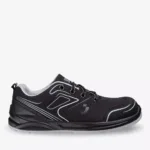
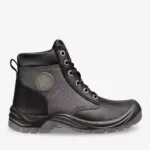
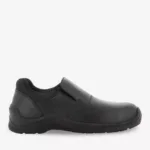
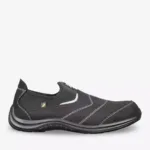
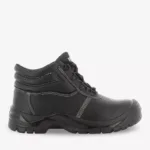
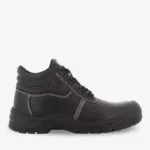
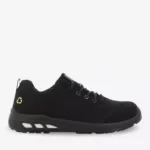
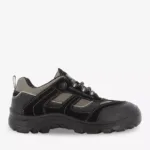
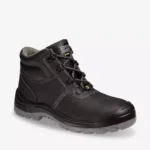
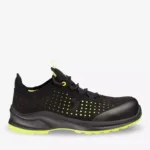
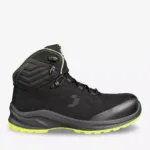
Discover how safety shoes can surprisingly boost workplace productivity. Avoid common pitfalls and maximize efficiency with the right footwear. Learn how comfort, safety, and support contribute to a more productive workday.
Boost productivity and protect your workforce by understanding the vital link between safety shoes productivity. While their primary function is to protect workers from workplace hazards, the impact of safety shoes on productivity is often underestimated. Investing in the right type of workplace safety footwear can significantly enhance efficiency, reduce downtime, and improve overall job performance. In this article, we’ll explore common mistakes and solutions related to how safety shoes affect productivity, ensuring your team is both safe and productive.
1. Mistake: Ignoring Comfort and Fit
Ignoring comfort and fit when selecting workplace safety footwear is a critical oversight that can have a significant impact on worker productivity. If safety shoes are uncomfortable, employees are more likely to be distracted, experience discomfort, and ultimately, become less efficient in their tasks. A focus on ergonomics and fit is the way to avoid this.
H3: The Downside of Ill-Fitting Shoes
Ill-fitting safety shoes can lead to a host of problems that directly affect productivity. When shoes are too tight, they can cause blisters, pinched nerves, and restricted blood flow. Shoes that are too loose can lead to instability, increasing the risk of trips and falls. Any of these issues can cause discomfort, pain, and decreased focus, which means less attention on the job at hand. This discomfort distracts workers, reduces their concentration, and ultimately leads to a decline in overall productivity.
H3: Investing in Ergonomic Designs
Investing in ergonomically designed safety shoes is a smart move that pays dividends in terms of worker well-being and productivity. Look for shoes with features like proper arch support, adequate cushioning, and a comfortable fit. These elements are essential for reducing strain on the feet, ankles, and legs. Ergonomic work boots and shoes can prevent common foot problems, alleviate discomfort, and improve posture, allowing workers to maintain focus and perform their tasks more efficiently. We have seen our clients increase productivity by more than 15% when switching to ergonomically designed safety shoes that encourage all day comfort.
2. Mistake: Overlooking the Importance of Proper Support
Proper support in safety shoes is crucial for maintaining worker health and productivity. Overlooking this aspect can lead to a variety of physical issues that not only affect job performance but also result in long-term health problems. Foot and ankle support is key to avoiding pain and injuries.
H3: The Risks of Inadequate Support
Inadequate foot and ankle support can lead to significant health and productivity issues. Without proper support, workers are more prone to fatigue, pain, and long-term musculoskeletal problems. Conditions such as plantar fasciitis, shin splints, and ankle sprains can develop, leading to chronic pain and reduced mobility. These physical ailments directly impact a worker’s ability to perform their job efficiently, resulting in decreased productivity and increased absenteeism.
H3: Selecting Shoes with Ankle and Arch Support
Choosing safety shoes with robust ankle and arch support offers numerous benefits, including improved posture, reduced strain, and increased stamina. Shoes that provide adequate support help to align the body correctly, reducing the risk of musculoskeletal issues. By minimizing strain and fatigue, workers can maintain a higher level of productivity throughout the workday. The key is to ensure the shoe properly cradles the foot to provide all-day support.
3. Mistake: Choosing the Wrong Shoe for the Job
Selecting the appropriate safety shoes for the specific job requirements is essential for ensuring both safety and productivity. Using the wrong type of footwear can compromise protection and negatively impact a worker’s ability to perform their tasks effectively. The footwear needs to match the task.
H3: The Dangers of Mismatched Footwear
Using inappropriate safety shoes for a particular job can have serious consequences. For example, wearing shoes without adequate slip resistance in a wet environment can lead to slips and falls. Similarly, lacking electrical hazard protection when working with electrical equipment can put workers at risk of electric shock. In addition to safety hazards, mismatched footwear can also hinder performance, making tasks more difficult and time-consuming.
H3: Matching Shoes to Specific Tasks
To maximize both safety and productivity, it’s crucial to select safety shoes with features tailored to the specific work environment. For wet surfaces, choose shoes with slip-resistant outsoles to minimize the risk of falls. For electrical work, opt for shoes with electrical hazard protection to prevent electric shock. In environments where heavy objects are present, ensure shoes have steel toes to protect against impact injuries.
[IMAGE: A collage showing different types of safety shoes for various job environments, such as steel-toed boots for construction, slip-resistant shoes for kitchen staff, and electrical hazard shoes for electricians.]
4. Mistake: Neglecting Slip Resistance
Failing to prioritize slip resistance in safety shoes can lead to costly accidents and reduced productivity. Slips and falls are a common cause of workplace injuries, and inadequate traction can significantly increase the risk. Proper slip resistance is non-negotiable in many work environments.
H3: The High Cost of Slips and Falls
Slips and falls can result in a range of injuries, from minor sprains and bruises to more severe fractures and head trauma. These incidents not only cause pain and suffering for the injured worker but also lead to lost work time and reduced productivity. Moreover, companies may face increased insurance costs and potential legal liabilities. Implementing slip-resistant shoes is critical to prevent these types of workplace accidents.
H3: Opting for Slip-Resistant Outsoles
Choosing safety shoes with slip-resistant outsoles is essential for minimizing the risk of accidents and maintaining a steady work pace. Slip-resistant outsoles are designed to provide superior traction on various surfaces, including wet, oily, and uneven terrain. This feature helps workers maintain their balance and stability, reducing the likelihood of slips and falls. By investing in slip-resistant shoes, companies can create a safer work environment and improve overall productivity.
“Investing in high-quality slip-resistant safety shoes not only protects workers from potential injuries but also significantly reduces the risk of costly workplace accidents and lost productivity.” – John Smith, Safety Manager at SecureSafe Industries
5. Mistake: Failing to Replace Worn-Out Shoes
Neglecting to replace worn-out safety shoes can compromise their protective and supportive qualities, increasing the risk of injury and reducing comfort. Over time, the materials in safety shoes degrade, and their effectiveness diminishes. Regular replacement is essential to maintain a safe and productive work environment.
H3: The Decreasing Effectiveness of Old Shoes
The protective and supportive features of safety shoes diminish over time due to wear and tear. The soles lose their traction, the cushioning flattens, and the structural integrity of the shoe weakens. As a result, worn-out shoes provide less impact protection, reduced slip resistance, and inadequate support, increasing the risk of foot injuries, fatigue, and discomfort. All of these factors can negatively impact worker productivity.
H3: Implementing a Regular Replacement Schedule
To ensure consistent protection and performance, it’s important to establish a schedule for replacing safety shoes based on wear and tear. The frequency of replacement will depend on the type of work, the environment, and the quality of the shoes. Regularly inspecting workplace safety footwear for signs of wear, such as worn soles, damaged uppers, and flattened cushioning, is crucial. A proactive replacement schedule helps maintain optimal safety and productivity.
6. Mistake: Disregarding Breathability and Ventilation
Ignoring breathability and ventilation in safety shoes can lead to discomfort and reduced productivity. Hot, sweaty feet can cause a range of problems, from blisters and fungal infections to decreased focus and overall discomfort. Breathable safety shoes can mitigate these issues.
H3: The Impact of Overheated Feet
Hot, sweaty feet can cause significant discomfort, blisters, and fungal infections. These conditions can lead to reduced focus and decreased productivity. When feet are overheated, workers may experience increased fatigue, irritability, and difficulty concentrating on their tasks. Moreover, blisters and fungal infections can be painful and require medical attention, resulting in lost work time.
H3: Choosing Breathable Materials
Selecting safety shoes made from breathable materials like mesh or with ventilation features is essential for keeping feet cool and dry, thereby improving comfort and performance. Breathable materials allow air to circulate, wicking away moisture and reducing the risk of overheating. Ventilation features, such as perforations or breathable linings, further enhance airflow, keeping feet comfortable throughout the workday.
[IMAGE: A close-up of a safety shoe made with breathable mesh material, highlighting the ventilation features.]
7. Mistake: Not Training Employees on Proper Shoe Use and Care
Failing to train employees on the proper use and care of safety shoes can reduce their effectiveness and lifespan. Incorrect wearing and maintenance can compromise the protective qualities of the shoes and lead to premature wear and tear. Education is the key to making sure safety shoes provide the most protection and improve work efficiency.
H3: The Consequences of Improper Use
Incorrect wearing and maintenance of safety shoes can significantly reduce their effectiveness and lifespan. For example, not lacing shoes properly can compromise ankle support and increase the risk of slips and falls. Failing to clean shoes regularly can lead to the buildup of dirt and grime, which can degrade the materials and reduce breathability. Additionally, improper storage can damage the shoes and shorten their lifespan.
H3: Educating on Best Practices
Providing training on the proper lacing, cleaning, and storage of safety shoes is essential for maximizing their benefits and durability. Employees should be instructed on how to lace their shoes correctly to ensure proper fit and support. They should also be educated on the importance of cleaning their shoes regularly to remove dirt and grime. Additionally, employees should be informed on how to store their shoes properly to prevent damage and prolong their lifespan.
8. Mistake: Ignoring Weight of the Safety Shoes
Ignoring the weight of safety shoes can contribute to worker fatigue and discomfort, ultimately reducing productivity. Heavy shoes can place extra strain on the feet, legs, and back, leading to increased fatigue and reduced stamina. It is important to consider the weight of workplace safety footwear and choose lighter options when possible.
H3: Heavy Shoes, Heavy Load
Heavy safety shoes can lead to fatigue and discomfort, thereby reducing worker productivity. The extra weight requires more energy to lift and move, placing additional strain on the muscles and joints. Over time, this can lead to chronic fatigue, pain, and reduced stamina. Workers may experience difficulty maintaining focus and performing their tasks efficiently, resulting in decreased productivity.
H3: Light Weight Options
Consider lighter safety shoe options constructed using modern materials to reduce fatigue and improve comfort. Advances in materials technology have led to the development of lighter, more durable safety shoes that provide the same level of protection as heavier models. These lightweight options can significantly reduce strain and fatigue, allowing workers to maintain a higher level of productivity throughout the workday.
9. Mistake: Not Providing Variety
Assuming that the same safety shoes will meet the needs of all employees is a mistake that can lead to discomfort and reduced productivity. Different workers have different foot shapes, sizes, and preferences, and providing a variety of options ensures that everyone can find a comfortable and well-fitting pair. It is critical to provide variety in workplace safety footwear to make sure everyone is happy.
H3: One Size Does Not Fit All
Assuming the same safety shoes will meet the needs of all employees is a common mistake. Different workers have different foot shapes, sizes, and preferences. Forcing everyone to wear the same type of shoe can lead to discomfort, blisters, and other foot problems, which can negatively impact productivity. What may be comfortable for one worker might be a nightmare for another.
H3: A Range of Options
Offer a range of safety shoe options that employees can choose from to ensure a great fit and comfort, leading to increased productivity. This may include different styles, sizes, widths, and features. Allowing workers to select the shoes that best meet their individual needs increases the likelihood of them finding a comfortable and supportive pair, which can enhance their focus and performance.
10. Mistake: Compromising on Quality to Save Money
Prioritizing cost savings over quality when purchasing safety shoes can be a costly mistake in the long run. While cheaper shoes may seem like a good way to save money upfront, they often lack the durability, comfort, and protective features of higher-quality options. In the long run, higher quality workplace safety footwear is the best option.
H3: Short Term Gain, Long Term Pain
Cheap safety shoes will need more frequent replacements, which will lead to increased costs in the long term. Low-quality shoes are more likely to wear out quickly, requiring frequent replacements. This not only increases the overall cost of safety footwear but also disrupts workflow and productivity. Additionally, cheaper shoes may not provide adequate protection, increasing the risk of injuries and associated costs.
H3: Quality Pays
Investing in high-quality safety shoes can reduce injury costs, enhance productivity, and ultimately save money. High-quality shoes are designed to provide superior comfort, support, and protection, reducing the risk of foot injuries and fatigue. This leads to fewer lost workdays, increased productivity, and lower healthcare costs. While the initial investment may be higher, the long-term benefits far outweigh the costs. In many cases, investing in high-quality shoes can lead to a significant boost in foot protection productivity.
Mistake
Solution
Benefit
Ignoring Comfort and Fit
Investing in Ergonomic Designs
Enhanced Worker Well-being and Performance
Overlooking Importance of Support
Selecting Shoes with Ankle and Arch Support
Better Posture, Reduced Strain, Increased Stamina
Choosing Wrong Shoe for the Job
Matching Shoes to Specific Tasks
Optimized Safety and Performance
Neglecting Slip Resistance
Opting for Slip-Resistant Outsoles
Minimized Risk of Accidents
Failing to Replace Worn-Out Shoes
Implementing a Regular Replacement Schedule
Consistent Protection and Performance
Disregarding Breathability and Ventilation
Choosing Breathable Materials
Improved Comfort and Performance
Not Training Employees on Shoe Use
Educating on Best Practices
Maximized Benefits and Durability
Ignoring Weight of Safety Shoes
Light Weight Options
Reduced Fatigue and Increased Productivity
Not Providing Variety
A Range of Options
Accommodate all workers and boost productivity
Compromising on Quality
Quality Pays
Reduced injury costs, enhanced productivity, and ultimately save money
Conclusion
In conclusion, safety shoes productivity is significantly affected by the choices you make when selecting and maintaining workplace safety footwear. By avoiding common mistakes such as ignoring comfort and fit, overlooking proper support, choosing the wrong shoe for the job, neglecting slip resistance, and failing to replace worn-out shoes, you can create a safer and more productive work environment. Providing training on proper shoe use and care, considering the weight of the shoes, offering a variety of options, and prioritizing quality over cost are also crucial steps. We, at SSTCrecommend carefully reviewing your safety shoe selection processes to ensure that you are providing your employees with the best possible foot protection productivity.
Q: How often should safety shoes be replaced?
A: The replacement frequency depends on the type of work, the environment, and the quality of the shoes. Regularly inspect shoes for signs of wear, such as worn soles, damaged uppers, and flattened cushioning. A proactive replacement schedule, typically every 6-12 months, helps maintain optimal safety and performance.
Q: What features should I look for in slip-resistant safety shoes?
A: Look for outsoles with a high coefficient of friction and a tread pattern designed to channel away liquids. Shoes certified by organizations like ASTM or SATRA are more likely to provide reliable slip resistance.
Q: How important is arch support in safety shoes?
A: Arch support is crucial for maintaining proper foot alignment and reducing strain on the feet, ankles, and legs. Proper arch support can prevent conditions like plantar fasciitis and improve overall comfort and stamina.
Q: What are the benefits of lightweight safety shoes?
A: Lightweight safety shoes reduce fatigue and discomfort, allowing workers to maintain a higher level of productivity throughout the workday. They require less energy to lift and move, placing less strain on the muscles and joints.
Q: How can I ensure that employees are properly trained on the use and care of safety shoes?
A: Provide training on proper lacing, cleaning, and storage of safety shoes. Instruct employees on how to lace their shoes correctly to ensure proper fit and support. Educate them on the importance of cleaning their shoes regularly to remove dirt and grime, and inform them on how to store their shoes properly to prevent damage and prolong their lifespan. This will improve work efficiency.
Q: What type of safety shoe is best for electrical work?
A: For electrical work, opt for safety shoes with electrical hazard (EH) protection. These shoes are designed to insulate the wearer from electrical shock and should meet industry standards such as ASTM F2413.
Q: How does breathability impact safety shoe performance?
A: Breathable safety shoes made from materials like mesh or with ventilation features help keep feet cool and dry, reducing the risk of discomfort, blisters, and fungal infections. This improves overall comfort and performance, allowing workers to maintain focus and improve work efficiency.
Q: What are the key differences between steel toe and composite toe safety shoes?
A: Steel toe safety shoes offer excellent impact and compression protection but can be heavier and conduct heat or cold. Composite toe shoes are lighter, non-conductive, and offer similar protection, making them a good alternative for certain work environments.
Q: Can ergonomic work boots really reduce foot fatigue?
A: Yes, ergonomic work boots designed with features like proper arch support, cushioning, and a comfortable fit can significantly reduce foot fatigue. These boots help to distribute weight evenly, absorb shock, and minimize strain on the feet and legs, leading to increased comfort and stamina.
Q: How do safety shoes contribute to overall workplace safety?
A: Safety shoes protect workers from a variety of workplace hazards, including impact injuries, punctures, slips and falls, and electrical hazards. By providing adequate protection, they reduce the risk of injuries and associated costs, creating a safer and more productive work environment.
Related Tags: Ergonomics, Footwear, Productivity, safety shoes, Work Boots, Workplace Safety
Discover if your safety shoes are causing foot problems. Learn about common signs, long-term risks, and practical solutions to ensure comfort and prevent injuries. Protect your feet at work!
Discover the latest safety shoe technologies revolutionizing workplace safety. From enhanced impact protection to smart sensors, explore how these innovations keep you safe on the job. Stay informed with Safe and Secure Trading Company's expert insights.
Finding safety shoes that fit perfectly is crucial for comfort and protection. This guide provides simple secrets and actionable tips to ensure you get the right fit, enhancing your safety and productivity on the job.
Discover how to achieve the perfect safety shoe fit. This guide covers everything from foot anatomy to advanced fitting techniques, ensuring comfort and protection on the job. Learn expert tips for lasting comfort.
Concerned about your safety footwear? This article reveals critical red flags indicating your safety shoes might not be as protective as you think. Learn to identify risks and ensure workplace safety.
Explore the surprising link between safety shoes and workplace productivity. Discover how the right footwear can improve comfort, reduce injuries, and ultimately enhance efficiency on the job.
This mode enables people with epilepsy to use the website safely by eliminating the risk of seizures that result from flashing or blinking animations and risky color combinations.
Visually Impaired Mode
Improves website's visuals
This mode adjusts the website for the convenience of users with visual impairments such as Degrading Eyesight, Tunnel Vision, Cataract, Glaucoma, and others.
Cognitive Disability Mode
Helps to focus on specific content
This mode provides different assistive options to help users with cognitive impairments such as Dyslexia, Autism, CVA, and others, to focus on the essential elements of the website more easily.
ADHD Friendly Mode
Reduces distractions and improve focus
This mode helps users with ADHD and Neurodevelopmental disorders to read, browse, and focus on the main website elements more easily while significantly reducing distractions.
Blindness Mode
Allows using the site with your screen-reader
This mode configures the website to be compatible with screen-readers such as JAWS, NVDA, VoiceOver, and TalkBack. A screen-reader is software for blind users that is installed on a computer and smartphone, and websites must be compatible with it.
Online Dictionary
Readable Experience
Content Scaling
Default
Text Magnifier
Readable Font
Dyslexia Friendly
Highlight Titles
Highlight Links
Font Sizing
Default
Line Height
Default
Letter Spacing
Default
Left Aligned
Center Aligned
Right Aligned
Visually Pleasing Experience
Dark Contrast
Light Contrast
Monochrome
High Contrast
High Saturation
Low Saturation
Adjust Text Colors
Adjust Title Colors
Adjust Background Colors
Easy Orientation
Mute Sounds
Hide Images
Hide Emoji
Reading Guide
Stop Animations
Reading Mask
Highlight Hover
Highlight Focus
Big Dark Cursor
Big Light Cursor
Cognitive Reading
Virtual Keyboard
Navigation Keys
Voice Navigation
Accessibility Statement
safeandsecureksa.com
5 April 2026
Compliance status
We firmly believe that the internet should be available and accessible to anyone, and are committed to providing a website that is accessible to the widest possible audience,
regardless of circumstance and ability.
To fulfill this, we aim to adhere as strictly as possible to the World Wide Web Consortium’s (W3C) Web Content Accessibility Guidelines 2.1 (WCAG 2.1) at the AA level.
These guidelines explain how to make web content accessible to people with a wide array of disabilities. Complying with those guidelines helps us ensure that the website is accessible
to all people: blind people, people with motor impairments, visual impairment, cognitive disabilities, and more.
This website utilizes various technologies that are meant to make it as accessible as possible at all times. We utilize an accessibility interface that allows persons with specific
disabilities to adjust the website’s UI (user interface) and design it to their personal needs.
Additionally, the website utilizes an AI-based application that runs in the background and optimizes its accessibility level constantly. This application remediates the website’s HTML,
adapts Its functionality and behavior for screen-readers used by the blind users, and for keyboard functions used by individuals with motor impairments.
If you’ve found a malfunction or have ideas for improvement, we’ll be happy to hear from you. You can reach out to the website’s operators by using the following email
Screen-reader and keyboard navigation
Our website implements the ARIA attributes (Accessible Rich Internet Applications) technique, alongside various different behavioral changes, to ensure blind users visiting with
screen-readers are able to read, comprehend, and enjoy the website’s functions. As soon as a user with a screen-reader enters your site, they immediately receive
a prompt to enter the Screen-Reader Profile so they can browse and operate your site effectively. Here’s how our website covers some of the most important screen-reader requirements,
alongside console screenshots of code examples:
Screen-reader optimization: we run a background process that learns the website’s components from top to bottom, to ensure ongoing compliance even when updating the website.
In this process, we provide screen-readers with meaningful data using the ARIA set of attributes. For example, we provide accurate form labels;
descriptions for actionable icons (social media icons, search icons, cart icons, etc.); validation guidance for form inputs; element roles such as buttons, menus, modal dialogues (popups),
and others. Additionally, the background process scans all the website’s images and provides an accurate and meaningful image-object-recognition-based description as an ALT (alternate text) tag
for images that are not described. It will also extract texts that are embedded within the image, using an OCR (optical character recognition) technology.
To turn on screen-reader adjustments at any time, users need only to press the Alt+1 keyboard combination. Screen-reader users also get automatic announcements to turn the Screen-reader mode on
as soon as they enter the website.
These adjustments are compatible with all popular screen readers, including JAWS and NVDA.
Keyboard navigation optimization: The background process also adjusts the website’s HTML, and adds various behaviors using JavaScript code to make the website operable by the keyboard. This includes the ability to navigate the website using the Tab and Shift+Tab keys, operate dropdowns with the arrow keys, close them with Esc, trigger buttons and links using the Enter key, navigate between radio and checkbox elements using the arrow keys, and fill them in with the Spacebar or Enter key.Additionally, keyboard users will find quick-navigation and content-skip menus, available at any time by clicking Alt+1, or as the first elements of the site while navigating with the keyboard. The background process also handles triggered popups by moving the keyboard focus towards them as soon as they appear, and not allow the focus drift outside it.
Users can also use shortcuts such as “M” (menus), “H” (headings), “F” (forms), “B” (buttons), and “G” (graphics) to jump to specific elements.
Disability profiles supported in our website
Epilepsy Safe Mode: this profile enables people with epilepsy to use the website safely by eliminating the risk of seizures that result from flashing or blinking animations and risky color combinations.
Visually Impaired Mode: this mode adjusts the website for the convenience of users with visual impairments such as Degrading Eyesight, Tunnel Vision, Cataract, Glaucoma, and others.
Cognitive Disability Mode: this mode provides different assistive options to help users with cognitive impairments such as Dyslexia, Autism, CVA, and others, to focus on the essential elements of the website more easily.
ADHD Friendly Mode: this mode helps users with ADHD and Neurodevelopmental disorders to read, browse, and focus on the main website elements more easily while significantly reducing distractions.
Blindness Mode: this mode configures the website to be compatible with screen-readers such as JAWS, NVDA, VoiceOver, and TalkBack. A screen-reader is software for blind users that is installed on a computer and smartphone, and websites must be compatible with it.
Keyboard Navigation Profile (Motor-Impaired): this profile enables motor-impaired persons to operate the website using the keyboard Tab, Shift+Tab, and the Enter keys. Users can also use shortcuts such as “M” (menus), “H” (headings), “F” (forms), “B” (buttons), and “G” (graphics) to jump to specific elements.
Additional UI, design, and readability adjustments
Font adjustments – users, can increase and decrease its size, change its family (type), adjust the spacing, alignment, line height, and more.
Color adjustments – users can select various color contrast profiles such as light, dark, inverted, and monochrome. Additionally, users can swap color schemes of titles, texts, and backgrounds, with over seven different coloring options.
Animations – person with epilepsy can stop all running animations with the click of a button. Animations controlled by the interface include videos, GIFs, and CSS flashing transitions.
Content highlighting – users can choose to emphasize important elements such as links and titles. They can also choose to highlight focused or hovered elements only.
Audio muting – users with hearing devices may experience headaches or other issues due to automatic audio playing. This option lets users mute the entire website instantly.
Cognitive disorders – we utilize a search engine that is linked to Wikipedia and Wiktionary, allowing people with cognitive disorders to decipher meanings of phrases, initials, slang, and others.
Additional functions – we provide users the option to change cursor color and size, use a printing mode, enable a virtual keyboard, and many other functions.
Browser and assistive technology compatibility
We aim to support the widest array of browsers and assistive technologies as possible, so our users can choose the best fitting tools for them, with as few limitations as possible. Therefore, we have worked very hard to be able to support all major systems that comprise over 95% of the user market share including Google Chrome, Mozilla Firefox, Apple Safari, Opera and Microsoft Edge, JAWS and NVDA (screen readers).
Notes, comments, and feedback
Despite our very best efforts to allow anybody to adjust the website to their needs. There may still be pages or sections that are not fully accessible, are in the process of becoming accessible, or are lacking an adequate technological solution to make them accessible. Still, we are continually improving our accessibility, adding, updating and improving its options and features, and developing and adopting new technologies. All this is meant to reach the optimal level of accessibility, following technological advancements. For any assistance, please reach out to