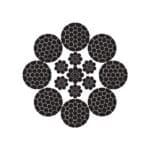
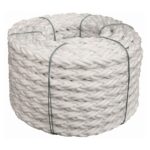
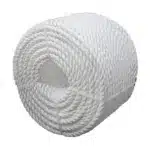
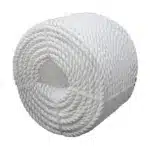
3 Strand High Strength Polypropylene Rope: In a world that relies on strong, lightweight, and versatile materials for everything from industrial applications to everyday utility, 3-strand high-strength polypropylene rope has earned its place as a top-performing choice. Known for its durability, buoyancy, chemical resistance, and affordability, this rope is a go-to solution across various industries.
Whether you’re securing cargo, mooring a vessel, setting up tents, or lifting equipment, polypropylene rope offers outstanding reliability—and when it comes in a 3-strand twisted format, its strength and knot-holding capabilities are significantly improved.
At SSTC (Safe and Secure Trading Company) in Saudi Arabia, we proudly offer premium-grade 3-strand polypropylene rope tailored to the demands of the Gulf region’s industries, weather, and logistics.
What Is 3-Strand Polypropylene Rope?
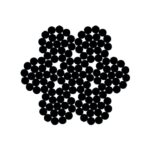
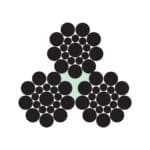
3-strand polypropylene rope is constructed by twisting three individual strands of polypropylene fibers together in a helical pattern, resulting in a rope that is:
Strong yet lightweight
Buoyant in water
Resistant to rot, mildew, and chemicals
UV-stabilized for outdoor use
Polypropylene Fiber Features:
Material Type: Synthetic thermoplastic polymer
Color: Typically yellow, blue, or white (custom options available)
Despite being lightweight, polypropylene rope offers excellent tensile strength—ideal for lifting, hauling, and pulling tasks.
2. Water-Resistant and Floats
Perfect for marine applications, polypropylene rope doesn’t absorb water and remains buoyant even in turbulent conditions.
3. Chemical and Rot Resistance
Unlike natural fiber ropes, polypropylene resists mildew, rot, oils, acids, and solvents, making it suitable for chemical plants, agriculture, and construction zones.
4. Cost-Effective
Compared to nylon or polyester ropes, polypropylene is more affordable while still offering dependable performance.
5. Knot Holding Capability
The 3-strand twisted design makes it easier to tie and untie knots, especially useful in rescue operations, mooring, and rigging.
6. UV Stabilized for Outdoor Use
Most ropes sold by SSTC are treated with UV stabilizers, protecting them from sunlight degradation in Saudi Arabia’s intense heat.
The Ultimate Guide to 3 Strand High Strength Polypropylene Rope
Technical Specifications
Key Features
High Strength: Engineered to withstand heavy loads and challenging conditions, providing robust performance across diverse applications.
Durable Construction: Constructed with three strands of polypropylene, offering superior strength and resistance to wear and tear.
Weather Resistant: Withstands exposure to UV light, moisture, and extreme temperatures, ensuring longevity and reliable performance in harsh environments.
Chemical Resistance: Resilient against most chemicals, making it suitable for use in various industrial settings.
Specifications:
Item Code
Diameter
Weight per coil of 100 Mtrs
Minimum Breaking Strength
mm
KG
KGF
4
0.72
320
6
1.63
690
8
2.9
1200
10
4.53
1800
12
6.52
2600
14
8.88
3500
16
11.6
4400
18
14.7
5600
20
18.1
6800
22
21.9
8100
24
26.1
9500
26
30.6
10900
28
35.5
12500
30
40.8
14300
32
46.4
16000
36
58.7
19800
40
72.5
23900
44
87.7
28200
48
104
33100
52
122
38300
56
142
43700
60
163
49500
Production Standard
BS EN ISO 10572 : 2009
Weights are subject to 5% variation. Above values are applicable only to new ropes. Length Measured under tension as per standard.
Color coding and tagging for safety or classification
OEM branding for large-scale buyers
We cater to corporate, industrial, and governmental sectors across Riyadh, Dammam, Jeddah, Jubail, and Yanbu, with fast logistics and product certification.
Environmentally Responsible Manufacturing
While polypropylene is a synthetic polymer, we partner with responsible manufacturers who employ:
Recyclable materials
Reduced carbon emissions during extrusion
ISO 9001 & ISO 14001 compliance
SASO & GCC product quality certifications
SSTC encourages proper disposal and reuse of damaged ropes through recycling initiatives.
Conclusion
The 3-strand high-strength polypropylene rope is more than just a general-purpose utility rope—it’s a critical tool in marine, industrial, construction, and agricultural settings. With features like lightweight design, resistance to chemicals, and superior knot strength, it remains one of the most economical and effective solutions for countless applications.
Partner with SSTC in Saudi Arabia for rope products that prioritize safety, strength, and sustainability.

This mode enables people with epilepsy to use the website safely by eliminating the risk of seizures that result from flashing or blinking animations and risky color combinations.
Visually Impaired Mode
Improves website's visuals
This mode adjusts the website for the convenience of users with visual impairments such as Degrading Eyesight, Tunnel Vision, Cataract, Glaucoma, and others.
Cognitive Disability Mode
Helps to focus on specific content
This mode provides different assistive options to help users with cognitive impairments such as Dyslexia, Autism, CVA, and others, to focus on the essential elements of the website more easily.
ADHD Friendly Mode
Reduces distractions and improve focus
This mode helps users with ADHD and Neurodevelopmental disorders to read, browse, and focus on the main website elements more easily while significantly reducing distractions.
Blindness Mode
Allows using the site with your screen-reader
This mode configures the website to be compatible with screen-readers such as JAWS, NVDA, VoiceOver, and TalkBack. A screen-reader is software for blind users that is installed on a computer and smartphone, and websites must be compatible with it.
Online Dictionary
Readable Experience
Content Scaling
Default
Text Magnifier
Readable Font
Dyslexia Friendly
Highlight Titles
Highlight Links
Font Sizing
Default
Line Height
Default
Letter Spacing
Default
Left Aligned
Center Aligned
Right Aligned
Visually Pleasing Experience
Dark Contrast
Light Contrast
Monochrome
High Contrast
High Saturation
Low Saturation
Adjust Text Colors
Adjust Title Colors
Adjust Background Colors
Easy Orientation
Mute Sounds
Hide Images
Hide Emoji
Reading Guide
Stop Animations
Reading Mask
Highlight Hover
Highlight Focus
Big Dark Cursor
Big Light Cursor
Cognitive Reading
Virtual Keyboard
Navigation Keys
Voice Navigation
Accessibility Statement
safeandsecureksa.com
19 February 2026
Compliance status
We firmly believe that the internet should be available and accessible to anyone, and are committed to providing a website that is accessible to the widest possible audience,
regardless of circumstance and ability.
To fulfill this, we aim to adhere as strictly as possible to the World Wide Web Consortium’s (W3C) Web Content Accessibility Guidelines 2.1 (WCAG 2.1) at the AA level.
These guidelines explain how to make web content accessible to people with a wide array of disabilities. Complying with those guidelines helps us ensure that the website is accessible
to all people: blind people, people with motor impairments, visual impairment, cognitive disabilities, and more.
This website utilizes various technologies that are meant to make it as accessible as possible at all times. We utilize an accessibility interface that allows persons with specific
disabilities to adjust the website’s UI (user interface) and design it to their personal needs.
Additionally, the website utilizes an AI-based application that runs in the background and optimizes its accessibility level constantly. This application remediates the website’s HTML,
adapts Its functionality and behavior for screen-readers used by the blind users, and for keyboard functions used by individuals with motor impairments.
If you’ve found a malfunction or have ideas for improvement, we’ll be happy to hear from you. You can reach out to the website’s operators by using the following email
Screen-reader and keyboard navigation
Our website implements the ARIA attributes (Accessible Rich Internet Applications) technique, alongside various different behavioral changes, to ensure blind users visiting with
screen-readers are able to read, comprehend, and enjoy the website’s functions. As soon as a user with a screen-reader enters your site, they immediately receive
a prompt to enter the Screen-Reader Profile so they can browse and operate your site effectively. Here’s how our website covers some of the most important screen-reader requirements,
alongside console screenshots of code examples:
Screen-reader optimization: we run a background process that learns the website’s components from top to bottom, to ensure ongoing compliance even when updating the website.
In this process, we provide screen-readers with meaningful data using the ARIA set of attributes. For example, we provide accurate form labels;
descriptions for actionable icons (social media icons, search icons, cart icons, etc.); validation guidance for form inputs; element roles such as buttons, menus, modal dialogues (popups),
and others. Additionally, the background process scans all the website’s images and provides an accurate and meaningful image-object-recognition-based description as an ALT (alternate text) tag
for images that are not described. It will also extract texts that are embedded within the image, using an OCR (optical character recognition) technology.
To turn on screen-reader adjustments at any time, users need only to press the Alt+1 keyboard combination. Screen-reader users also get automatic announcements to turn the Screen-reader mode on
as soon as they enter the website.
These adjustments are compatible with all popular screen readers, including JAWS and NVDA.
Keyboard navigation optimization: The background process also adjusts the website’s HTML, and adds various behaviors using JavaScript code to make the website operable by the keyboard. This includes the ability to navigate the website using the Tab and Shift+Tab keys, operate dropdowns with the arrow keys, close them with Esc, trigger buttons and links using the Enter key, navigate between radio and checkbox elements using the arrow keys, and fill them in with the Spacebar or Enter key.Additionally, keyboard users will find quick-navigation and content-skip menus, available at any time by clicking Alt+1, or as the first elements of the site while navigating with the keyboard. The background process also handles triggered popups by moving the keyboard focus towards them as soon as they appear, and not allow the focus drift outside it.
Users can also use shortcuts such as “M” (menus), “H” (headings), “F” (forms), “B” (buttons), and “G” (graphics) to jump to specific elements.
Disability profiles supported in our website
Epilepsy Safe Mode: this profile enables people with epilepsy to use the website safely by eliminating the risk of seizures that result from flashing or blinking animations and risky color combinations.
Visually Impaired Mode: this mode adjusts the website for the convenience of users with visual impairments such as Degrading Eyesight, Tunnel Vision, Cataract, Glaucoma, and others.
Cognitive Disability Mode: this mode provides different assistive options to help users with cognitive impairments such as Dyslexia, Autism, CVA, and others, to focus on the essential elements of the website more easily.
ADHD Friendly Mode: this mode helps users with ADHD and Neurodevelopmental disorders to read, browse, and focus on the main website elements more easily while significantly reducing distractions.
Blindness Mode: this mode configures the website to be compatible with screen-readers such as JAWS, NVDA, VoiceOver, and TalkBack. A screen-reader is software for blind users that is installed on a computer and smartphone, and websites must be compatible with it.
Keyboard Navigation Profile (Motor-Impaired): this profile enables motor-impaired persons to operate the website using the keyboard Tab, Shift+Tab, and the Enter keys. Users can also use shortcuts such as “M” (menus), “H” (headings), “F” (forms), “B” (buttons), and “G” (graphics) to jump to specific elements.
Additional UI, design, and readability adjustments
Font adjustments – users, can increase and decrease its size, change its family (type), adjust the spacing, alignment, line height, and more.
Color adjustments – users can select various color contrast profiles such as light, dark, inverted, and monochrome. Additionally, users can swap color schemes of titles, texts, and backgrounds, with over seven different coloring options.
Animations – person with epilepsy can stop all running animations with the click of a button. Animations controlled by the interface include videos, GIFs, and CSS flashing transitions.
Content highlighting – users can choose to emphasize important elements such as links and titles. They can also choose to highlight focused or hovered elements only.
Audio muting – users with hearing devices may experience headaches or other issues due to automatic audio playing. This option lets users mute the entire website instantly.
Cognitive disorders – we utilize a search engine that is linked to Wikipedia and Wiktionary, allowing people with cognitive disorders to decipher meanings of phrases, initials, slang, and others.
Additional functions – we provide users the option to change cursor color and size, use a printing mode, enable a virtual keyboard, and many other functions.
Browser and assistive technology compatibility
We aim to support the widest array of browsers and assistive technologies as possible, so our users can choose the best fitting tools for them, with as few limitations as possible. Therefore, we have worked very hard to be able to support all major systems that comprise over 95% of the user market share including Google Chrome, Mozilla Firefox, Apple Safari, Opera and Microsoft Edge, JAWS and NVDA (screen readers).
Notes, comments, and feedback
Despite our very best efforts to allow anybody to adjust the website to their needs. There may still be pages or sections that are not fully accessible, are in the process of becoming accessible, or are lacking an adequate technological solution to make them accessible. Still, we are continually improving our accessibility, adding, updating and improving its options and features, and developing and adopting new technologies. All this is meant to reach the optimal level of accessibility, following technological advancements. For any assistance, please reach out to