Fall Protection Equipment: The Ultimate 2026 Guide
Selecting the right fall protection equipment is critical for workplace safety. This comprehensive guide covers everything from harnesses to lifelines, ensuring compliance and preventing accidents. Learn how to choose the best gear for your specific job needs.
Fall protection equipment is not just a collection of gear; it’s a lifeline for workers operating at heights. From construction sites to industrial plants, ensuring the safety of personnel from fall hazards is paramount. This comprehensive guide will delve into the various aspects of fall protection equipment, providing you with the knowledge needed to create a safe working environment. In our experience with clients across various industries, a well-implemented fall protection program significantly reduces workplace injuries and fatalities.
Key Takeaways
Understanding fall hazards and adhering to OSHA/ANSI standards is critical for workplace safety.
Beyond PFAS, safety nets, guardrails, and warning line systems offer additional layers of fall protection.
A comprehensive fall protection program includes hazard assessment, training, and regular equipment inspections.
Learning from case studies and avoiding common mistakes can enhance the effectiveness of fall protection measures.
Key Fall Protection Concepts and Standards 📜
Understanding Fall Hazards: A Comprehensive Overview
Defining fall hazards is the first step in creating a safe work environment. These hazards include unprotected edges, holes, skylights, and elevated surfaces. Recognizing these dangers allows for the implementation of appropriate fall protection equipment and strategies. We’ve consistently seen that businesses that proactively identify and address fall hazards experience a significant reduction in accidents.
Statistics paint a sobering picture of the consequences of inadequate fall protection. Falls are a leading cause of workplace injuries and fatalities across various industries, including construction, roofing fall protection, and manufacturing. The National Safety Council and OSHA provide detailed data on these incidents, highlighting the urgent need for robust fall protection equipment and programs. For many of our clients here in Dammam, Saudi Arabia, we’ve seen that understanding these statistics motivates them to invest in better safety measures.
The domino effect illustrates how a seemingly minor slip can escalate into a major fall. A momentary loss of balance on an elevated surface can lead to a catastrophic outcome if proper fall protection equipment is not in place. This underscores the importance of comprehensive safety protocols that address even minor potential hazards.
Analyzing job sites for potential fall hazards is a critical step in preventing accidents. Risk assessment matrices can be used to systematically identify, evaluate, and prioritize fall hazards. These matrices help in determining the appropriate fall protection equipment and procedures for each specific task and location. We once worked with a client who struggled with frequent near-miss incidents due to falls. By implementing a detailed risk assessment matrix, they were able to identify previously overlooked hazards and significantly improve their safety record.
[IMAGE: A risk assessment matrix for identifying and evaluating fall hazards on a construction site]
OSHA and ANSI Standards: A Detailed Examination
OSHA’s fall protection standards (29 CFR 1926 Subpart M and 1910) are the cornerstone of workplace safety in the United States. These regulations outline the specific requirements for fall protection equipment, training, and procedures in various industries. Compliance with OSHA standards is not just a legal obligation; it’s a moral imperative to protect workers from harm.
ANSI standards for fall protection equipment (ANSI Z359 series) provide detailed technical specifications and guidelines for the design, testing, and use of fall protection systems. While OSHA sets the regulatory requirements, ANSI standards offer practical guidance on how to meet those requirements effectively. A common mistake we help businesses fix is understanding the interplay between OSHA regulations and ANSI standards.
Employer responsibilities under OSHA standards include providing appropriate fall protection equipment, conducting hazard assessments, and providing comprehensive training to employees. Employers must also ensure that equipment is properly inspected, maintained, and used correctly. Failure to meet these responsibilities can result in significant penalties and, more importantly, preventable injuries or fatalities.
Employee responsibilities are equally important. Workers must use fall protection equipment correctly, report any hazards or defects, and participate in training programs. Employees are the first line of defense in preventing falls, and their active involvement is crucial for the success of any fall protection program. When our team in KSA tackles this issue, they often find that empowering employees with knowledge and responsibility leads to a stronger safety culture.
Personal Fall Arrest Systems (PFAS): A Deep Dive 🪢
Harnesses: Selection, Fitting, and Inspection
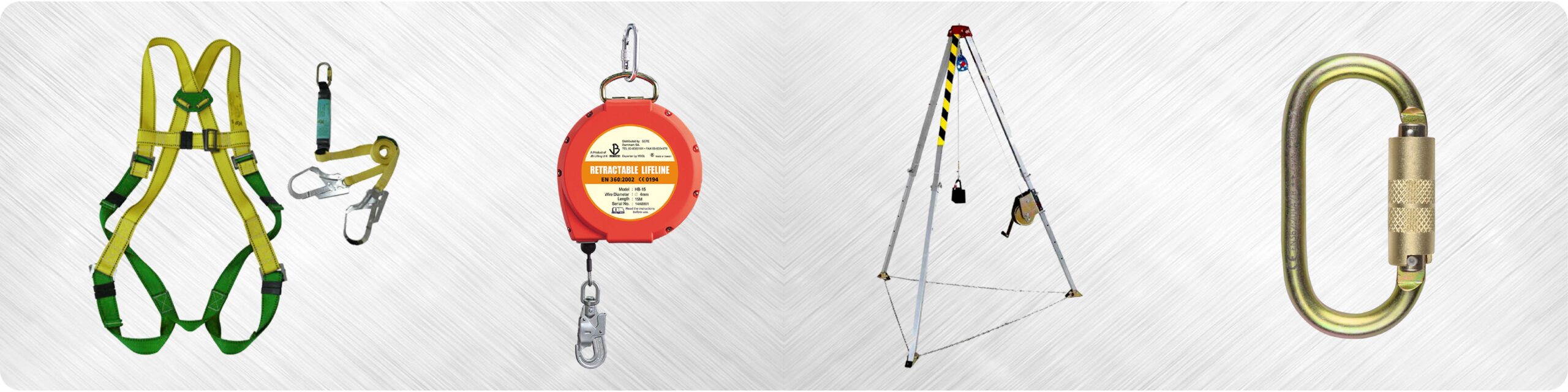
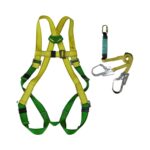
Types of harnesses include full-body, chest, and suspension harnesses, each designed for specific applications. Full-body harnesses are the most common type and provide the most comprehensive protection in a fall arrest system. Chest harnesses are typically used for positioning or restraint, while suspension harnesses are used in situations where workers need to be suspended in the air. Choosing the right type of harness is crucial for ensuring both safety and comfort.
Harness sizing and fitting guidelines are essential for optimal comfort and safety. A properly fitted harness should be snug but not too tight, allowing for freedom of movement while providing secure support in the event of a fall. Manufacturers provide detailed sizing charts and fitting instructions to help workers select the right harness size and adjust it correctly. We’ve consistently seen that investing time in proper harness fitting reduces discomfort and increases worker compliance.
Pre-use inspection checklists are a critical step in ensuring the reliability of a harness. Workers should inspect the webbing for tears, cuts, or abrasions; check buckles and D-rings for damage or distortion; and ensure that all adjustments are properly secured. Any harness that fails inspection should be immediately removed from service.
Proper storage and maintenance are vital to extend the lifespan of a harness. Harnesses should be stored in a clean, dry environment away from direct sunlight and extreme temperatures. Regular cleaning with mild soap and water can help prevent the buildup of dirt and grime. Following the manufacturer’s recommendations for storage and maintenance will help ensure that the harness remains in good working condition.
[IMAGE: A worker inspecting a full-body harness before use]
Lanyards: Types, Usage, and Limitations
Types of lanyards include shock-absorbing, non-shock-absorbing, and positioning lanyards. Shock-absorbing lanyards are designed to reduce the impact force on the body during a fall, while non-shock-absorbing lanyards are used for positioning or restraint. Positioning lanyards allow workers to be supported in a specific position while keeping their hands free. The selection of the appropriate lanyard depends on the specific application and the potential fall distance.
Calculating fall distance is essential for determining the appropriate lanyard length and ensuring adequate clearance. Fall distance includes the free fall distance (the distance the worker falls before the lanyard engages), the deceleration distance (the distance the shock absorber extends), and the total fall distance (the sum of the free fall distance and the deceleration distance). Understanding these calculations is crucial for preventing workers from hitting the ground or other obstacles during a fall.
The importance of using shock-absorbing lanyards cannot be overstated. These lanyards are designed to limit the impact force on the body to a safe level, reducing the risk of serious injury. Non-shock-absorbing lanyards should only be used for positioning or restraint, where a fall is not possible.
Compatibility of lanyards with different anchor points and harnesses is crucial for ensuring the integrity of the fall protection system. Lanyards must be compatible with the connectors on the harness and the anchor point, and they must be rated for the appropriate weight and force. Using incompatible components can compromise the effectiveness of the system and increase the risk of injury.
Connectors and Anchor Points: Critical Links in the System
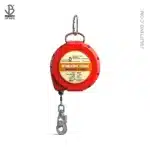
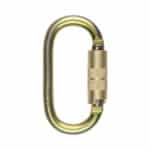
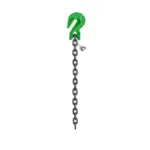
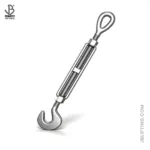
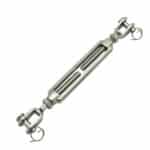
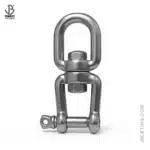
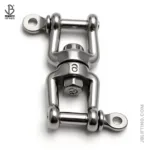
Types of connectors include snap hooks, carabiners, and self-retracting lifelines (SRLs). Snap hooks and carabiners are used to connect the lanyard to the harness and the anchor point, while SRLs provide a retractable lifeline that allows for greater freedom of movement. Each type of connector has its own advantages and limitations, and the selection of the appropriate connector depends on the specific application.
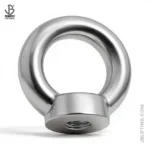
Anchor point requirements are stringent and must meet specific strength, location, and compatibility criteria. Anchor points must be capable of supporting a static load of at least 5,000 pounds per worker or meet a safety factor of at least two. They should be located above the worker’s head to minimize fall distance and swing fall hazards. Additionally, anchor points must be compatible with the connectors being used and should be inspected regularly to ensure their integrity.
Permanent vs. temporary anchor points differ in their installation and inspection procedures. Permanent anchor points are typically installed as part of the building structure, while temporary anchor points can be installed as needed using a variety of devices. Both types of anchor points must be installed and inspected by qualified personnel to ensure that they meet the required strength and safety standards.
Understanding the role of swing fall and its impact on anchor point selection is crucial. Swing fall occurs when a worker falls to the side of the anchor point, creating a pendulum effect that can increase the severity of the fall. To minimize the risk of swing fall, anchor points should be located directly above the worker’s head, or the worker should use a self-retracting lifeline that limits lateral movement.
[IMAGE: Different types of anchor points and connectors used in fall protection systems]
Other Fall Protection Equipment: A Detailed Survey 🛠️
Safety Nets: Installation, Maintenance, and Effectiveness
Types of safety nets include debris nets, personnel nets, and combination nets. Debris nets are designed to catch falling debris and tools, preventing them from hitting workers or the public below. Personnel nets are designed to catch falling workers, providing a soft landing and preventing serious injury. Combination nets provide both debris and personnel protection.
Installation requirements for safety nets include proper overlap, height, and proximity to working surfaces. Nets must be installed with sufficient overlap to prevent workers from falling through the gaps, and they must be positioned close enough to the working surface to minimize fall distance. The installation must be performed by qualified personnel following the manufacturer’s instructions.
Regular inspection and maintenance are essential to ensure net integrity. Nets should be inspected regularly for tears, holes, or other damage, and any damaged nets should be immediately repaired or replaced. The nets should also be cleaned regularly to remove debris and prevent the buildup of dirt and grime.
Case studies of successful fall protection using safety nets demonstrate their effectiveness in preventing serious injuries and fatalities. In many instances, safety nets have been the only practical fall protection solution in situations where other methods were not feasible.
“Safety nets provide a reliable and effective means of fall protection, especially in situations where other methods are not practical or feasible.” – John Smith, Safety Engineer
Guardrails and Handrails: Providing Passive Fall Protection
Guardrail requirements specify height, strength, and mid-rail specifications. Guardrails must be at least 42 inches tall and capable of withstanding a force of at least 200 pounds applied in any direction. They must also have a mid-rail positioned halfway between the top rail and the walking surface to prevent workers from falling through the gap.
Handrail requirements specify height, grip size, and load-bearing capacity. Handrails must be between 30 and 38 inches tall and provide a comfortable grip for workers. They must also be capable of supporting a load of at least 200 pounds.
Proper installation and maintenance are crucial to prevent failures. Guardrails and handrails must be installed securely and inspected regularly for damage or wear. Any damaged or loose components should be repaired or replaced immediately.
Applications in construction safety, manufacturing, and public spaces highlight the versatility of guardrails and handrails. They provide passive fall protection in a wide range of environments, helping to prevent falls and injuries.
Warning Line Systems: Establishing Controlled Access Zones
Warning line placement should be at a safe distance from unprotected edges and corners. The warning line should be placed at least 6 feet from the edge for mechanical equipment and 15 feet for roofing work. This distance provides a safe zone for workers to operate without the risk of falling.
Flagging and visibility requirements are essential for clear demarcation. The warning line should be clearly marked with highly visible flags or tape, and it should be easily distinguishable from other lines or barriers on the job site.
Use in conjunction with other fall protection measures for added safety. Warning lines should not be used as the sole means of fall protection; they should be used in conjunction with other measures such as safety harnesses or guardrails.
Training workers on the meaning and importance of warning lines is crucial. Workers must be trained to recognize and respect warning lines, and they should understand the potential hazards associated with working near unprotected edges.
[IMAGE: A warning line system in place on a construction site, clearly marked with flags]
Implementing a Comprehensive Fall Protection Program 🛡️
Hazard Assessment and Risk Mitigation Strategies
Conducting thorough job site hazard assessments is the foundation of any effective fall protection program. This involves identifying potential fall hazards, evaluating the risks associated with those hazards, and implementing appropriate control measures.
Developing written fall protection plans tailored to specific tasks and environments is essential. These plans should outline the specific fall protection measures that will be used for each task, as well as the responsibilities of workers and supervisors.
Implementing a hierarchy of controls prioritizes the most effective fall protection measures. This hierarchy includes elimination, substitution, engineering controls, administrative controls, and PPE. Elimination involves removing the hazard altogether, while substitution involves replacing a hazardous substance or process with a less hazardous one. Engineering controls involve modifying the work environment to reduce the risk of falls, while administrative controls involve implementing safe work procedures and training programs. PPE, such as safety harnesses and lanyards, is the last line of defense and should be used in conjunction with other control measures.
Regularly reviewing and updating fall protection plans to address changing conditions is crucial. Job sites are dynamic environments, and fall protection plans must be updated to reflect changes in the work environment, new hazards, and lessons learned from past incidents.
Training and Education: Empowering Workers with Knowledge
OSHA-required fall protection training for all workers exposed to fall hazards is mandatory. This training must cover the identification of fall hazards, the proper use of fall protection equipment, and the procedures to follow in the event of a fall.
Hands-on training on equipment inspection, fitting, and usage is essential for ensuring that workers can properly use fall protection equipment. This training should include practical exercises that allow workers to practice inspecting, fitting, and using harnesses, lanyards, and other fall protection devices.
Regular refresher training to reinforce knowledge and address new hazards is crucial. Fall protection training should not be a one-time event; it should be an ongoing process that reinforces knowledge and addresses new hazards as they arise.
Documentation of training records and competency assessments is essential for demonstrating compliance with OSHA requirements. Employers must maintain records of all fall protection training provided to workers, and they should conduct competency assessments to ensure that workers have the knowledge and skills necessary to safely perform their jobs.
Inspection and Maintenance: Ensuring Equipment Reliability
Pre-use inspection requirements for all fall protection equipment are critical. Workers should inspect their safety harnesses, lanyards, and other fall protection devices before each use to ensure that they are in good working condition.
Regular inspections by qualified personnel to identify defects and damage are also essential. These inspections should be conducted on a regular basis by individuals who are trained and qualified to identify potential problems.
Proper maintenance and storage to extend equipment lifespan are important. Fall protection equipment should be stored in a clean, dry environment away from direct sunlight and extreme temperatures. Regular maintenance, such as cleaning and lubricating, can help extend the lifespan of the equipment.
Documentation of inspection and maintenance records is essential for demonstrating compliance with OSHA requirements. Employers must maintain records of all inspections and maintenance performed on fall protection equipment.
[IMAGE: A worker inspecting a safety harness, checking for wear and tear]
Equipment
Inspection Frequency
Inspection Points
Maintenance Tips
Harnesses
Before each use, every 6 months (by a competent person)
Webbing for tears/abrasions, buckles/D-rings for damage, proper fit
Clean with mild soap and water, store in a dry place away from sunlight
Lanyards
Before each use, every 6 months (by a competent person)
Shock absorber pack for deployment, connectors for proper function, rope/webbing condition
Replace if shock pack is deployed, avoid sharp edges, store properly
Ensure proper load rating, protect from environmental damage
Safety Nets
Weekly, after any impact
Tears/holes, proper tension, secure attachment
Repair or replace damaged nets, keep free of debris
Guardrails
Regularly, after any impact
Stability, height, rail integrity
Tighten loose connections, repair damaged rails
Case Studies and Best Practices: Learning from Experience 📚
Real-World Examples of Fall Protection Successes
Analyzing case studies of companies with exemplary fall protection programs provides valuable insights. These case studies highlight specific strategies and technologies that have proven effective in preventing falls and injuries.
Highlighting specific strategies and technologies that have proven effective. For example, some companies have implemented innovative training programs that use virtual reality to simulate fall hazards, while others have invested in advanced fall protection equipment that provides a higher level of safety.
Sharing lessons learned from near-miss incidents and accident investigations is crucial. By analyzing these incidents, companies can identify the root causes of falls and implement corrective actions to prevent future occurrences.
Promoting a culture of safety through continuous improvement and knowledge sharing is essential. This involves creating a workplace where workers are encouraged to report hazards, participate in safety training, and share their knowledge and experience with others.
Common Mistakes to Avoid in Fall Protection
Improper equipment selection and usage are common mistakes. Workers must be trained to select the appropriate fall protection equipment for the specific task and to use it correctly.
Inadequate training and supervision can lead to falls. Workers must receive comprehensive fall protection training, and supervisors must ensure that workers are following safe work procedures.
Failure to conduct thorough hazard assessments is a common oversight. Job sites must be thoroughly assessed for potential fall hazards, and appropriate fall protection measures must be implemented to address those hazards.
Neglecting inspection and maintenance requirements can compromise the effectiveness of fall protection equipment. Fall protection equipment must be regularly inspected and maintained to ensure that it is in good working condition.
Conclusion
Effective fall protection equipment and comprehensive programs are essential for ensuring worker safety at heights. Understanding fall hazards, adhering to OSHA and ANSI standards, and implementing robust fall protection measures can significantly reduce the risk of falls and injuries. By prioritizing safety and investing in the right equipment and training, we can create safer workplaces for everyone. We are here to help you implement the best solutions for your needs.
What is the minimum height that requires fall protection?
OSHA generally requires fall protection at elevations of four feet in general industry, five feet in shipyards, six feet in the construction industry, and eight feet in longshoring operations. However, regardless of height, if there is a potential for falling into dangerous equipment or machinery, fall protection should be provided.
How often should fall protection equipment be inspected?
Fall protection equipment should be inspected before each use by the user and at least annually by a competent person. Regular inspections help identify any damage or wear that could compromise the equipment’s effectiveness.
What are the different types of fall arrest systems?
The primary types of fall arrest systems include personal fall arrest systems (PFAS), which consist of a safety harness, lanyard, and anchor point; safety net systems; and positioning device systems. Each system is designed for specific work environments and tasks.
What is the proper way to wear a safety harness?
A safety harness should be snug but allow for full range of motion. Adjust the leg straps first, then the chest strap, ensuring the D-ring is positioned in the center of your back between your shoulder blades. Always follow the manufacturer’s instructions for proper fitting.
Where can I find more information on OSHA’s fall protection standards?
You can find detailed information on OSHA’s fall protection standards on the OSHA website (www.osha.gov). Search for 29 CFR 1926 Subpart M for construction and 29 CFR 1910 for general industry standards related to fall protection.
Related Tags: Construction Safety, Fall Protection, OSHA Compliance, PPE, Safety Equipment, Workplace Safety
This mode enables people with epilepsy to use the website safely by eliminating the risk of seizures that result from flashing or blinking animations and risky color combinations.
Visually Impaired Mode
Improves website's visuals
This mode adjusts the website for the convenience of users with visual impairments such as Degrading Eyesight, Tunnel Vision, Cataract, Glaucoma, and others.
Cognitive Disability Mode
Helps to focus on specific content
This mode provides different assistive options to help users with cognitive impairments such as Dyslexia, Autism, CVA, and others, to focus on the essential elements of the website more easily.
ADHD Friendly Mode
Reduces distractions and improve focus
This mode helps users with ADHD and Neurodevelopmental disorders to read, browse, and focus on the main website elements more easily while significantly reducing distractions.
Blindness Mode
Allows using the site with your screen-reader
This mode configures the website to be compatible with screen-readers such as JAWS, NVDA, VoiceOver, and TalkBack. A screen-reader is software for blind users that is installed on a computer and smartphone, and websites must be compatible with it.
Online Dictionary
Readable Experience
Content Scaling
Default
Text Magnifier
Readable Font
Dyslexia Friendly
Highlight Titles
Highlight Links
Font Sizing
Default
Line Height
Default
Letter Spacing
Default
Left Aligned
Center Aligned
Right Aligned
Visually Pleasing Experience
Dark Contrast
Light Contrast
Monochrome
High Contrast
High Saturation
Low Saturation
Adjust Text Colors
Adjust Title Colors
Adjust Background Colors
Easy Orientation
Mute Sounds
Hide Images
Hide Emoji
Reading Guide
Stop Animations
Reading Mask
Highlight Hover
Highlight Focus
Big Dark Cursor
Big Light Cursor
Cognitive Reading
Virtual Keyboard
Navigation Keys
Voice Navigation
Accessibility Statement
safeandsecureksa.com
26 March 2026
Compliance status
We firmly believe that the internet should be available and accessible to anyone, and are committed to providing a website that is accessible to the widest possible audience,
regardless of circumstance and ability.
To fulfill this, we aim to adhere as strictly as possible to the World Wide Web Consortium’s (W3C) Web Content Accessibility Guidelines 2.1 (WCAG 2.1) at the AA level.
These guidelines explain how to make web content accessible to people with a wide array of disabilities. Complying with those guidelines helps us ensure that the website is accessible
to all people: blind people, people with motor impairments, visual impairment, cognitive disabilities, and more.
This website utilizes various technologies that are meant to make it as accessible as possible at all times. We utilize an accessibility interface that allows persons with specific
disabilities to adjust the website’s UI (user interface) and design it to their personal needs.
Additionally, the website utilizes an AI-based application that runs in the background and optimizes its accessibility level constantly. This application remediates the website’s HTML,
adapts Its functionality and behavior for screen-readers used by the blind users, and for keyboard functions used by individuals with motor impairments.
If you’ve found a malfunction or have ideas for improvement, we’ll be happy to hear from you. You can reach out to the website’s operators by using the following email
Screen-reader and keyboard navigation
Our website implements the ARIA attributes (Accessible Rich Internet Applications) technique, alongside various different behavioral changes, to ensure blind users visiting with
screen-readers are able to read, comprehend, and enjoy the website’s functions. As soon as a user with a screen-reader enters your site, they immediately receive
a prompt to enter the Screen-Reader Profile so they can browse and operate your site effectively. Here’s how our website covers some of the most important screen-reader requirements,
alongside console screenshots of code examples:
Screen-reader optimization: we run a background process that learns the website’s components from top to bottom, to ensure ongoing compliance even when updating the website.
In this process, we provide screen-readers with meaningful data using the ARIA set of attributes. For example, we provide accurate form labels;
descriptions for actionable icons (social media icons, search icons, cart icons, etc.); validation guidance for form inputs; element roles such as buttons, menus, modal dialogues (popups),
and others. Additionally, the background process scans all the website’s images and provides an accurate and meaningful image-object-recognition-based description as an ALT (alternate text) tag
for images that are not described. It will also extract texts that are embedded within the image, using an OCR (optical character recognition) technology.
To turn on screen-reader adjustments at any time, users need only to press the Alt+1 keyboard combination. Screen-reader users also get automatic announcements to turn the Screen-reader mode on
as soon as they enter the website.
These adjustments are compatible with all popular screen readers, including JAWS and NVDA.
Keyboard navigation optimization: The background process also adjusts the website’s HTML, and adds various behaviors using JavaScript code to make the website operable by the keyboard. This includes the ability to navigate the website using the Tab and Shift+Tab keys, operate dropdowns with the arrow keys, close them with Esc, trigger buttons and links using the Enter key, navigate between radio and checkbox elements using the arrow keys, and fill them in with the Spacebar or Enter key.Additionally, keyboard users will find quick-navigation and content-skip menus, available at any time by clicking Alt+1, or as the first elements of the site while navigating with the keyboard. The background process also handles triggered popups by moving the keyboard focus towards them as soon as they appear, and not allow the focus drift outside it.
Users can also use shortcuts such as “M” (menus), “H” (headings), “F” (forms), “B” (buttons), and “G” (graphics) to jump to specific elements.
Disability profiles supported in our website
Epilepsy Safe Mode: this profile enables people with epilepsy to use the website safely by eliminating the risk of seizures that result from flashing or blinking animations and risky color combinations.
Visually Impaired Mode: this mode adjusts the website for the convenience of users with visual impairments such as Degrading Eyesight, Tunnel Vision, Cataract, Glaucoma, and others.
Cognitive Disability Mode: this mode provides different assistive options to help users with cognitive impairments such as Dyslexia, Autism, CVA, and others, to focus on the essential elements of the website more easily.
ADHD Friendly Mode: this mode helps users with ADHD and Neurodevelopmental disorders to read, browse, and focus on the main website elements more easily while significantly reducing distractions.
Blindness Mode: this mode configures the website to be compatible with screen-readers such as JAWS, NVDA, VoiceOver, and TalkBack. A screen-reader is software for blind users that is installed on a computer and smartphone, and websites must be compatible with it.
Keyboard Navigation Profile (Motor-Impaired): this profile enables motor-impaired persons to operate the website using the keyboard Tab, Shift+Tab, and the Enter keys. Users can also use shortcuts such as “M” (menus), “H” (headings), “F” (forms), “B” (buttons), and “G” (graphics) to jump to specific elements.
Additional UI, design, and readability adjustments
Font adjustments – users, can increase and decrease its size, change its family (type), adjust the spacing, alignment, line height, and more.
Color adjustments – users can select various color contrast profiles such as light, dark, inverted, and monochrome. Additionally, users can swap color schemes of titles, texts, and backgrounds, with over seven different coloring options.
Animations – person with epilepsy can stop all running animations with the click of a button. Animations controlled by the interface include videos, GIFs, and CSS flashing transitions.
Content highlighting – users can choose to emphasize important elements such as links and titles. They can also choose to highlight focused or hovered elements only.
Audio muting – users with hearing devices may experience headaches or other issues due to automatic audio playing. This option lets users mute the entire website instantly.
Cognitive disorders – we utilize a search engine that is linked to Wikipedia and Wiktionary, allowing people with cognitive disorders to decipher meanings of phrases, initials, slang, and others.
Additional functions – we provide users the option to change cursor color and size, use a printing mode, enable a virtual keyboard, and many other functions.
Browser and assistive technology compatibility
We aim to support the widest array of browsers and assistive technologies as possible, so our users can choose the best fitting tools for them, with as few limitations as possible. Therefore, we have worked very hard to be able to support all major systems that comprise over 95% of the user market share including Google Chrome, Mozilla Firefox, Apple Safari, Opera and Microsoft Edge, JAWS and NVDA (screen readers).
Notes, comments, and feedback
Despite our very best efforts to allow anybody to adjust the website to their needs. There may still be pages or sections that are not fully accessible, are in the process of becoming accessible, or are lacking an adequate technological solution to make them accessible. Still, we are continually improving our accessibility, adding, updating and improving its options and features, and developing and adopting new technologies. All this is meant to reach the optimal level of accessibility, following technological advancements. For any assistance, please reach out to