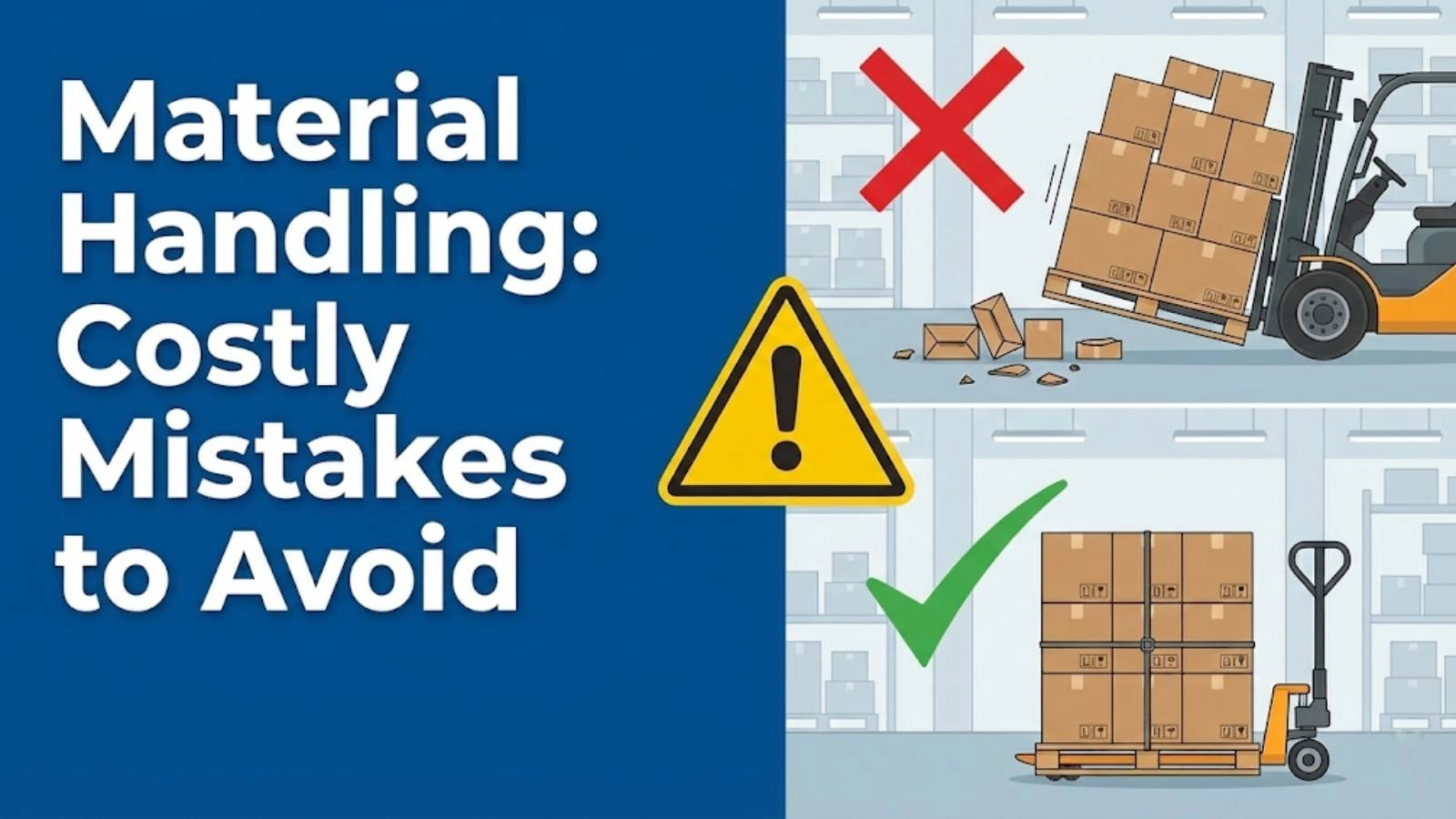
Discover how material handling mistakes can drain your company's profits. Learn to identify and rectify these errors with our expert solutions to boost efficiency and cut costs. Stop losing money today!
Efficient material handling is crucial for any organization that deals with the movement, storage, and control of goods. However, even seemingly small errors in these processes can accumulate into significant financial losses. Addressing these material handling mistakes is not just about preventing accidents; it’s about gaining a strategic advantage. At Safe and Secure Trading Company (SSTC), we specialize in helping companies identify and eliminate these costly oversights, improving their bottom line and overall operational efficiency.
Key Takeaways
Ignoring ergonomic principles leads to injuries, lost productivity, and increased costs.
Poor warehouse layout causes bottlenecks, wasted time, and higher operational expenses.
Inadequate equipment maintenance results in breakdowns, delays, and costly repairs.
Insufficient training increases accident risks and reduces overall material handling efficiency.
Mistake #1: Neglecting Ergonomics in Material Handling ⚠️
The Problem: Ergonomics is the science of designing the workplace to fit the worker, reducing strain and preventing injuries. Ignoring ergonomic principles in material handling can lead to significant worker strain, resulting in musculoskeletal disorders (MSDs). These injuries can include back pain, carpal tunnel syndrome, and other debilitating conditions.
The direct and indirect costs associated with MSDs can be substantial.
Lost workdays: Injured employees require time off to recover, reducing workforce availability.
Increased insurance premiums: A higher incidence of workplace injuries leads to increased workers’ compensation costs.
Reduced employee morale: A work environment that neglects employee well-being can lead to decreased job satisfaction and higher turnover rates.
The Solution: Implementing ergonomic best practices can significantly reduce the risk of MSDs and improve worker well-being.
Adjustable workstations: Workstations that can be adjusted to accommodate different body types and tasks can reduce strain.
Proper lifting techniques training: Training employees on how to lift and carry objects safely can prevent back injuries.
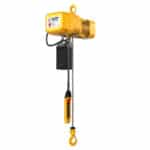
Use of material handling equipment to reduce physical strain: Utilizing equipment such as forklifts, pallet jacks, and conveyors can minimize the need for manual lifting and carrying.
SSTC Expertise: In our experience with clients, we’ve consistently seen that neglecting ergonomics directly correlates with higher injury rates and decreased productivity. For example, we once worked with a client who struggled with high rates of back injuries among their warehouse staff. By implementing ergonomic assessments and providing adjustable workstations, they saw a 40% reduction in MSD-related claims within six months. For many of our clients here in Dammam, Saudi Arabia, we’ve seen that a proactive approach to ergonomics not only protects employees but also boosts overall efficiency.
[IMAGE: A worker demonstrating proper lifting technique with ergonomic equipment.]
Mistake #2: Poor Warehouse Layout & Space Utilization 🏢
The Problem: Inefficient warehouse layouts can create bottlenecks and wasted movement, leading to increased labor costs and slower order fulfillment times. A poorly designed warehouse can significantly impact warehouse efficiency and overall operational performance.
Excessive travel distances: Employees spend more time traveling between storage locations, reducing time spent on productive tasks.
Poorly organized storage locations: Difficulty locating items leads to wasted time and frustration.
Lack of designated areas for specific tasks: Without designated areas for receiving, packing, and shipping, processes become disorganized and inefficient.
The Solution: Optimizing warehouse layout involves strategic planning and implementation of efficient storage and retrieval systems.
Implementing ABC analysis for product placement: Placing high-demand items in easily accessible locations reduces travel time.
Utilizing vertical space with racking systems: Maximizing vertical space increases storage capacity within the same footprint.
Creating clear pathways and designated zones: Clearly defined pathways and designated areas for specific tasks streamline workflow and improve organization.
SSTC Expertise: We often find that companies underestimate the impact of a well-designed warehouse layout. We once worked with a client who was experiencing significant delays in order fulfillment. After analyzing their warehouse layout, we recommended implementing ABC analysis and reconfiguring their storage locations. This resulted in a 25% reduction in order fulfillment time and a significant improvement in customer satisfaction. When our team in KSA tackles this issue, they often find that simple changes in layout can have a huge impact on overall operational efficiency and reduce logistics costs.
[IMAGE: A before-and-after diagram of a warehouse layout optimization project.]
Mistake #3: Ignoring Material Handling Equipment Maintenance 🛠️
The Problem: Neglecting material handling equipment maintenance can have serious consequences, leading to breakdowns, production delays, and costly repairs. Regular maintenance is essential to ensure equipment reliability and safety.
Unscheduled downtime: Equipment breakdowns disrupt workflow and lead to production delays.
Decreased equipment lifespan: Lack of maintenance shortens the lifespan of equipment, requiring premature replacement.
Potential safety hazards: Malfunctioning equipment can pose serious safety risks to employees.
The Solution: Implementing preventative maintenance programs is crucial for ensuring equipment reliability and minimizing downtime.
Regular inspections: Conducting routine inspections can identify potential problems before they escalate.
Scheduled servicing: Performing scheduled maintenance tasks, such as lubrication and filter replacement, keeps equipment running smoothly.
Proper operator training: Training operators on proper equipment operation and maintenance procedures can prevent misuse and extend equipment lifespan.
SSTC Expertise: We’ve consistently seen that companies with robust maintenance programs experience significantly fewer equipment breakdowns and lower repair costs. A common mistake we help businesses fix is neglecting regular inspections. Our maintenance programs include comprehensive inspections, scheduled servicing, and operator training to ensure equipment reliability and safety. For example, we offer remote monitoring systems that can detect potential issues before they lead to breakdowns, allowing our clients to proactively address maintenance needs and minimize downtime.
[IMAGE: A technician performing maintenance on a forklift, highlighting safety checks.]
Mistake #4: Insufficient Training for Material Handling Personnel 🧑🏫
The Problem: Inadequate training for material handling personnel increases the risk of accidents and injuries. It also reduces overall efficiency and accuracy. Proper training is essential for ensuring a safe and productive work environment.
Improper equipment operation: Untrained operators are more likely to misuse equipment, leading to accidents and damage.
Incorrect loading and unloading procedures: Improper loading and unloading techniques can cause damage to goods and injuries to personnel.
Failure to follow safety protocols: Lack of knowledge about safety protocols increases the risk of accidents and injuries.
The Solution: A comprehensive training program should cover all aspects of material handling, including equipment operation, safety procedures, and load handling techniques.
Equipment operation training: Providing hands-on training on the safe and efficient operation of equipment.
Safety procedures and regulations: Educating employees on relevant safety procedures and regulations.
Load handling and securing techniques: Training employees on proper techniques for loading, unloading, and securing goods.
SSTC Expertise: We’ve seen firsthand how effective training programs can significantly reduce accident rates and improve productivity. Our training programs are designed to provide employees with the knowledge and skills they need to perform their jobs safely and efficiently. We offer customized training solutions tailored to the specific needs of our clients. By fixing inadequate training, our clients see improvements in safety and productivity. For instance, we provide virtual reality (VR) training simulations that allow employees to practice operating equipment in a safe and controlled environment, enhancing their skills and confidence.
[IMAGE: A group of employees participating in a material handling training session.]
Mistake #5: Inefficient Inventory Management 📦
The Problem: Poor inventory management ties up capital and increases storage costs. Overstocking and stockouts can significantly impact profitability and customer satisfaction. Efficient inventory management is crucial for optimizing supply chain optimization and minimizing costs.
Excess storage space requirements: Overstocking requires more storage space, increasing rental or mortgage costs.
Risk of obsolescence and spoilage: Excess inventory is more susceptible to obsolescence or spoilage, leading to financial losses.
Lost sales due to stockouts: Stockouts can result in lost sales and damage to customer relationships.
The Solution: Optimizing inventory management involves implementing effective inventory control systems and utilizing demand forecasting techniques.
Implementing a robust inventory control system: Utilizing software to track inventory levels, monitor demand, and automate replenishment processes.
Utilizing demand forecasting techniques: Predicting future demand to optimize inventory levels and minimize stockouts.
Adopting just-in-time (JIT) inventory principles: Ordering materials only when they are needed to minimize inventory holding costs.
SSTC Expertise: In our experience, many companies struggle with balancing inventory levels to meet demand without incurring excessive storage costs. We once worked with a client who was experiencing high storage costs due to overstocking. By implementing a robust inventory control system and utilizing demand forecasting techniques, we helped them reduce their inventory levels by 30% and significantly lower their storage costs. A common mistake we help businesses fix is not having real-time visibility into their inventory levels. With the right storage solutions and technology, you can strike the perfect balance.
[IMAGE: A screenshot of an inventory management software interface, showing key metrics.]
The Financial Impact: Quantifying the Costs 💰
Calculating the total cost of material handling mistakes involves considering both direct and indirect costs. Direct costs include expenses such as equipment repairs, insurance premiums, and workers’ compensation claims. Indirect costs include lost productivity, employee turnover, and damage to customer relationships.
To accurately assess the financial impact, consider the following:
1. Direct Costs: Equipment repair and replacement costs. Insurance premiums (workers’ compensation, liability). Medical expenses related to workplace injuries. Costs associated with damaged goods or materials.
2. Indirect Costs: Lost productivity due to downtime or injuries. Employee turnover (recruiting and training costs). Decreased employee morale and engagement. Lost sales and damaged customer relationships due to delays or errors.
> “Companies that invest in optimizing their material handling processes typically see a 15-20% reduction in operating costs within the first year.” – SSTC Logistics Expert
Implementing a Proactive Approach 🧭
A proactive approach to preventing material handling mistakes involves regular audits and continuous improvement initiatives. Conducting regular audits helps identify potential problems and areas for improvement. Implementing continuous improvement initiatives, such as lean manufacturing principles, can optimize processes and reduce waste.
The role of technology in improving material handling efficiency cannot be overstated. Automation, robotics, and data analytics can significantly enhance operational performance.
Comprehensive training programs; safety certifications
Reduced accidents; improved productivity
Inventory Management
Inventory control systems; demand forecasting
Lower storage costs; minimized stockouts
Conclusion
Material handling mistakes can silently erode your profitability, but by understanding these pitfalls and implementing proactive solutions, you can transform your material handling processes into a source of competitive advantage. We at SSTC have a proven track record of helping businesses optimize their operations and achieve significant cost savings by reducing logistics costs.
Explore if automated material handling is the right move for your warehouse. Uncover how automation can revolutionize efficiency and cut costs. See if the investment aligns with your business needs for improved workflow.
Explore the future of material handling! Discover key material handling trends, from automation and robotics to AI and sustainability. Stay ahead in logistics and supply chain management.
Confused about material handling equipment acquisition? This guide breaks down the pros and cons of buying, renting, and leasing to help you make the smartest choice for your operational needs and budget.
Discover 10 vital material handling safety tips to prevent workplace accidents. Ensure a secure environment with our expert guidance for beginners. Learn how to protect your team today!
Considering automated material handling? Learn from common mistakes companies make and how to avoid them. Discover if automation is the right move for your warehouse and optimize your operations.
Discover if automated material handling is the right move for your warehouse. Learn about the benefits, challenges, and key considerations to make an informed decision. Find out how to boost efficiency and reduce costs.
This mode enables people with epilepsy to use the website safely by eliminating the risk of seizures that result from flashing or blinking animations and risky color combinations.
Visually Impaired Mode
Improves website's visuals
This mode adjusts the website for the convenience of users with visual impairments such as Degrading Eyesight, Tunnel Vision, Cataract, Glaucoma, and others.
Cognitive Disability Mode
Helps to focus on specific content
This mode provides different assistive options to help users with cognitive impairments such as Dyslexia, Autism, CVA, and others, to focus on the essential elements of the website more easily.
ADHD Friendly Mode
Reduces distractions and improve focus
This mode helps users with ADHD and Neurodevelopmental disorders to read, browse, and focus on the main website elements more easily while significantly reducing distractions.
Blindness Mode
Allows using the site with your screen-reader
This mode configures the website to be compatible with screen-readers such as JAWS, NVDA, VoiceOver, and TalkBack. A screen-reader is software for blind users that is installed on a computer and smartphone, and websites must be compatible with it.
Online Dictionary
Readable Experience
Content Scaling
Default
Text Magnifier
Readable Font
Dyslexia Friendly
Highlight Titles
Highlight Links
Font Sizing
Default
Line Height
Default
Letter Spacing
Default
Left Aligned
Center Aligned
Right Aligned
Visually Pleasing Experience
Dark Contrast
Light Contrast
Monochrome
High Contrast
High Saturation
Low Saturation
Adjust Text Colors
Adjust Title Colors
Adjust Background Colors
Easy Orientation
Mute Sounds
Hide Images
Hide Emoji
Reading Guide
Stop Animations
Reading Mask
Highlight Hover
Highlight Focus
Big Dark Cursor
Big Light Cursor
Cognitive Reading
Virtual Keyboard
Navigation Keys
Voice Navigation
Accessibility Statement
safeandsecureksa.com
12 April 2026
Compliance status
We firmly believe that the internet should be available and accessible to anyone, and are committed to providing a website that is accessible to the widest possible audience,
regardless of circumstance and ability.
To fulfill this, we aim to adhere as strictly as possible to the World Wide Web Consortium’s (W3C) Web Content Accessibility Guidelines 2.1 (WCAG 2.1) at the AA level.
These guidelines explain how to make web content accessible to people with a wide array of disabilities. Complying with those guidelines helps us ensure that the website is accessible
to all people: blind people, people with motor impairments, visual impairment, cognitive disabilities, and more.
This website utilizes various technologies that are meant to make it as accessible as possible at all times. We utilize an accessibility interface that allows persons with specific
disabilities to adjust the website’s UI (user interface) and design it to their personal needs.
Additionally, the website utilizes an AI-based application that runs in the background and optimizes its accessibility level constantly. This application remediates the website’s HTML,
adapts Its functionality and behavior for screen-readers used by the blind users, and for keyboard functions used by individuals with motor impairments.
If you’ve found a malfunction or have ideas for improvement, we’ll be happy to hear from you. You can reach out to the website’s operators by using the following email
Screen-reader and keyboard navigation
Our website implements the ARIA attributes (Accessible Rich Internet Applications) technique, alongside various different behavioral changes, to ensure blind users visiting with
screen-readers are able to read, comprehend, and enjoy the website’s functions. As soon as a user with a screen-reader enters your site, they immediately receive
a prompt to enter the Screen-Reader Profile so they can browse and operate your site effectively. Here’s how our website covers some of the most important screen-reader requirements,
alongside console screenshots of code examples:
Screen-reader optimization: we run a background process that learns the website’s components from top to bottom, to ensure ongoing compliance even when updating the website.
In this process, we provide screen-readers with meaningful data using the ARIA set of attributes. For example, we provide accurate form labels;
descriptions for actionable icons (social media icons, search icons, cart icons, etc.); validation guidance for form inputs; element roles such as buttons, menus, modal dialogues (popups),
and others. Additionally, the background process scans all the website’s images and provides an accurate and meaningful image-object-recognition-based description as an ALT (alternate text) tag
for images that are not described. It will also extract texts that are embedded within the image, using an OCR (optical character recognition) technology.
To turn on screen-reader adjustments at any time, users need only to press the Alt+1 keyboard combination. Screen-reader users also get automatic announcements to turn the Screen-reader mode on
as soon as they enter the website.
These adjustments are compatible with all popular screen readers, including JAWS and NVDA.
Keyboard navigation optimization: The background process also adjusts the website’s HTML, and adds various behaviors using JavaScript code to make the website operable by the keyboard. This includes the ability to navigate the website using the Tab and Shift+Tab keys, operate dropdowns with the arrow keys, close them with Esc, trigger buttons and links using the Enter key, navigate between radio and checkbox elements using the arrow keys, and fill them in with the Spacebar or Enter key.Additionally, keyboard users will find quick-navigation and content-skip menus, available at any time by clicking Alt+1, or as the first elements of the site while navigating with the keyboard. The background process also handles triggered popups by moving the keyboard focus towards them as soon as they appear, and not allow the focus drift outside it.
Users can also use shortcuts such as “M” (menus), “H” (headings), “F” (forms), “B” (buttons), and “G” (graphics) to jump to specific elements.
Disability profiles supported in our website
Epilepsy Safe Mode: this profile enables people with epilepsy to use the website safely by eliminating the risk of seizures that result from flashing or blinking animations and risky color combinations.
Visually Impaired Mode: this mode adjusts the website for the convenience of users with visual impairments such as Degrading Eyesight, Tunnel Vision, Cataract, Glaucoma, and others.
Cognitive Disability Mode: this mode provides different assistive options to help users with cognitive impairments such as Dyslexia, Autism, CVA, and others, to focus on the essential elements of the website more easily.
ADHD Friendly Mode: this mode helps users with ADHD and Neurodevelopmental disorders to read, browse, and focus on the main website elements more easily while significantly reducing distractions.
Blindness Mode: this mode configures the website to be compatible with screen-readers such as JAWS, NVDA, VoiceOver, and TalkBack. A screen-reader is software for blind users that is installed on a computer and smartphone, and websites must be compatible with it.
Keyboard Navigation Profile (Motor-Impaired): this profile enables motor-impaired persons to operate the website using the keyboard Tab, Shift+Tab, and the Enter keys. Users can also use shortcuts such as “M” (menus), “H” (headings), “F” (forms), “B” (buttons), and “G” (graphics) to jump to specific elements.
Additional UI, design, and readability adjustments
Font adjustments – users, can increase and decrease its size, change its family (type), adjust the spacing, alignment, line height, and more.
Color adjustments – users can select various color contrast profiles such as light, dark, inverted, and monochrome. Additionally, users can swap color schemes of titles, texts, and backgrounds, with over seven different coloring options.
Animations – person with epilepsy can stop all running animations with the click of a button. Animations controlled by the interface include videos, GIFs, and CSS flashing transitions.
Content highlighting – users can choose to emphasize important elements such as links and titles. They can also choose to highlight focused or hovered elements only.
Audio muting – users with hearing devices may experience headaches or other issues due to automatic audio playing. This option lets users mute the entire website instantly.
Cognitive disorders – we utilize a search engine that is linked to Wikipedia and Wiktionary, allowing people with cognitive disorders to decipher meanings of phrases, initials, slang, and others.
Additional functions – we provide users the option to change cursor color and size, use a printing mode, enable a virtual keyboard, and many other functions.
Browser and assistive technology compatibility
We aim to support the widest array of browsers and assistive technologies as possible, so our users can choose the best fitting tools for them, with as few limitations as possible. Therefore, we have worked very hard to be able to support all major systems that comprise over 95% of the user market share including Google Chrome, Mozilla Firefox, Apple Safari, Opera and Microsoft Edge, JAWS and NVDA (screen readers).
Notes, comments, and feedback
Despite our very best efforts to allow anybody to adjust the website to their needs. There may still be pages or sections that are not fully accessible, are in the process of becoming accessible, or are lacking an adequate technological solution to make them accessible. Still, we are continually improving our accessibility, adding, updating and improving its options and features, and developing and adopting new technologies. All this is meant to reach the optimal level of accessibility, following technological advancements. For any assistance, please reach out to